Best Budgeting Apps for Beginners 2026 (India + US)

By Tapabrata Biswas · Updated September 7, 2026 · 20 min read
Researched with AI assistance, reviewed and edited by Tapabrata Biswas.
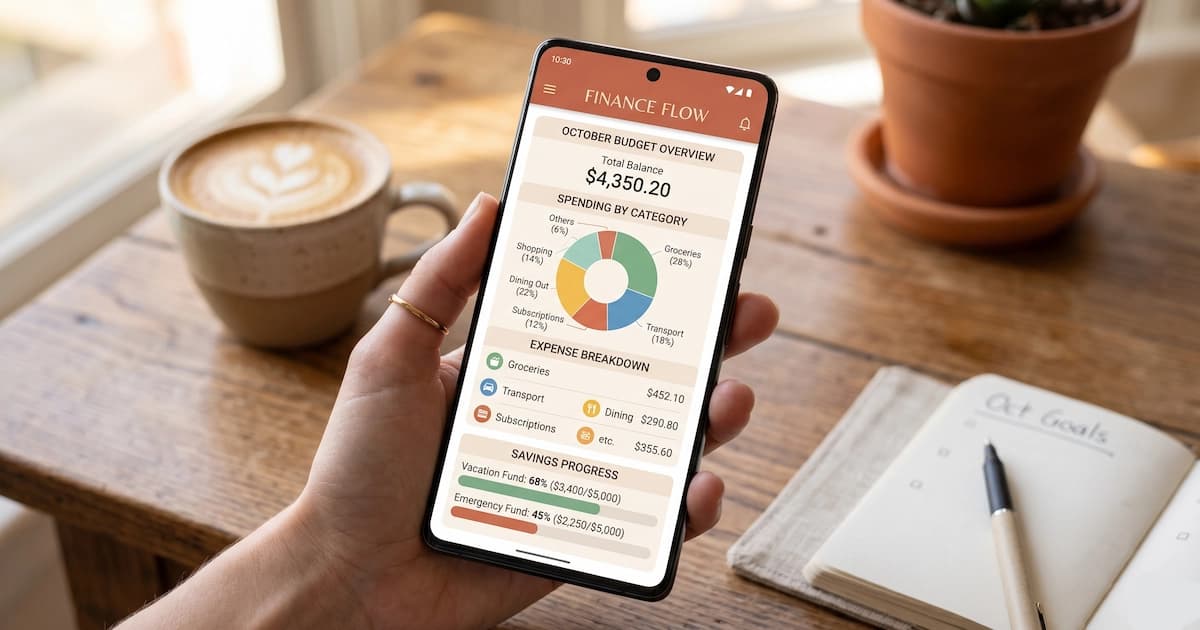
Most "best budgeting app" lists hand you ten app names and a big table, then leave you to guess which one fits. That is backwards. The app you should install depends almost entirely on one thing you can decide in about a minute: which budgeting method you want to run. Get the method right and the shortlist collapses from twenty apps to two or three.
This guide is built the other way from the usual roundup. It starts with the method, maps each method to the apps that do it well, and then gives honest 2026 pricing for both the US and India. It also clears up two things every other list keeps getting wrong: what actually replaced Mint, and the fact that Walnut, still listed as a live app on half of India's roundups, no longer exists under that name.
What is a budgeting app, and how is it different from an expense tracker?
A budgeting app is a tool that assigns your income to categories before you spend it, following a method such as zero-based or envelope budgeting. You decide where the money goes on the first of the month, and the app warns you when a category runs dry.
An expense tracker does the opposite. It links your accounts, pulls transactions, and shows where the money went after the fact. That is useful for awareness, but it makes no plan and stops no overspending on its own. Mint was mostly a tracker. Empower is a tracker. Most of India's popular "budgeting" apps are trackers too.
The distinction matters because beginners who want to change their spending need the planning kind, and beginners who just want to see their spending need the tracking kind. This post covers the planning apps. If what you actually want is to categorize spending after it happens across all your accounts, that job belongs to a dedicated tracker, and we cover those in the best expense tracking apps guide.
Which budgeting method do you want? Pick the app from the method
Nearly every good budgeting app is really an interface for one underlying method. Choose the method first and the app almost picks itself.
| If you want this method | It works like this | Apps that do it well |
|---|---|---|
| Zero-based budgeting | Every rupee or dollar of income gets a job until nothing is left unassigned | YNAB, EveryDollar, Actual Budget |
| Envelope / cash-stuffing | Money is split into virtual envelopes; when an envelope is empty, that spending stops | Goodbudget, Qube, YNAB categories |
| 50/30/20 rule | Income is split 50% needs, 30% wants, 20% savings and debt | PocketGuard, Monarch |
| Flexible tracking | Loose categories and a running "safe to spend" number, no strict framework | Monarch, Quicken Simplifi, Rocket Money |
Zero-based is the method with the most search demand and the most powerful apps behind it, which is why the zero-based row gets three strong options. If you have never budgeted before and have no preference, the flexible-tracking row is the softest landing, and you can graduate to zero-based later.
The best budgeting apps for beginners in the US
Prices below are the standard published 2026 rates. App store prices vary slightly by region, and promotional first-year discounts come and go, so treat these as the list price you will renew at.
| App | Method | Price (2026) | Best for | Learning curve |
|---|---|---|---|---|
| EveryDollar | Zero-based | Free tier; Premium $79.99/yr or $17.99/mo | Simplest zero-based start | Gentle |
| Quicken Simplifi | Flexible tracking | $71.88/yr (no free tier) | Beginners who want a clean dashboard | Gentle |
| YNAB | Zero-based | $109/yr or $14.99/mo; 34-day trial | The most powerful zero-based system | Steep |
| Monarch | Flexible / 50-30-20 | $99.99/yr or $14.99/mo; 7-day trial | Former Mint users and couples | Moderate |
| Goodbudget | Envelope | Free (20 envelopes); Plus $80/yr | Envelope budgeters, any country | Gentle |
| PocketGuard | 50/30/20 | Free; Plus $74.99/yr | A ready-made 50/30/20 calculator | Gentle |
| Copilot | Flexible tracking | $95/yr (no free tier) | Apple users who want AI categorization | Moderate |
| Rocket Money | Tracking + bills | Free; Premium $7 to $14/mo | Cancelling forgotten subscriptions | Gentle |
| Empower | Tracking + net worth | Free | Free spending and net-worth view | Gentle |
A few notes a beginner actually needs.
YNAB is the reference implementation of zero-based budgeting and the app power users swear by, but it is the steepest to learn on this list. Its four rules force you to assign every dollar and to "age" your money until you are living on last month's income. That discipline is the point, and it is also why a lot of people quit in week one. If you commit to a week of setup, it rewards you. There is no free tier, only the 34-day trial.
EveryDollar, from Ramsey Solutions, runs the same zero-based method with far less friction, and its free tier lets you do it by manual entry at no cost. For a true first-timer who wants zero-based without the YNAB cliff, it is the gentlest entry point.
Quicken Simplifi is the app most often named as the easiest all-round pick for beginners. It leans on a "planned spending" view and a projected end-of-month number, with no strict envelopes to manage, so it feels lighter. The catch is there is no free tier.
Monarch became the default home for Mint refugees. Its founder is ex-Mint, the layout is deliberately familiar, and it handles shared household budgets well, which is rare in this category.
The best budgeting apps in India
The honest picture, which most Indian roundups skip: only three apps sold in India are true method-based budgeting tools rather than expense trackers or neobank dashboards. The wider personal finance tools map places budgeting apps alongside trackers, aggregators and net-worth tools.
Goodbudget runs the envelope method and works fully in India because it never touches your bank. You enter transactions by hand or import them, so there is no Plaid or account-aggregator dependency. The free tier gives 20 envelopes, which is enough for most single users, and there is a paid plan for unlimited envelopes.
YNAB works in India the same way, by manual entry, for anyone who wants strict zero-based budgeting and does not mind typing in transactions. It is priced in US dollars, so factor in the conversion at renewal.
Wallet by BudgetBakers is the third, a freemium app that supports bank connections in more regions than most US apps and offers genuine budgeting on top of tracking.
Everything else marketed as an "India budgeting app" is really an all-in-one money app that includes some budgeting: axio (this is the app formerly called Walnut, rebranded around 2023, so any 2026 list still calling it Walnut is out of date), ET Money, Jupiter, Fi, and INDmoney. They shine at automatic categorization from Indian accounts and at bundling investments, but their budgeting layer is lighter than a dedicated tool. If your goal is tracking spending across several Indian banks and you are not running a strict method, those apps and the picks in the expense tracking guide fit better.
What replaced Mint after it shut down?
Intuit shut Mint down on March 23, 2024, after roughly 17 years, and moved accounts into Credit Karma, which keeps credit monitoring but is not a budgeting app. The budgeting features most people used Mint for did not carry over.
The paid app former Mint users landed on most often is Monarch, helped by its ex-Mint founder and a migration discount. The closest free replacement is Empower for spending and net worth, though it plans nothing the way Mint's budgets did. Anyone whose real Mint use was watching subscriptions tends to prefer Rocket Money, which finds recurring charges and can cancel them for you. None of the three is a like-for-like Mint clone, because the free, bank-syncing, do-everything model Mint ran on turned out to be hard to keep free.
Free vs paid: which budgeting apps are actually free?
Plenty of apps advertise a free tier that is really a trial or a crippled demo. These are the ones that stay free with no clock:
- EveryDollar free tier: full zero-based budgeting by manual entry.
- Goodbudget free tier: 20 envelopes, one account, two devices.
- Empower: spending, categorization, and net worth, free in the US.
- Actual Budget: open source and free if you self-host it.
- A Google Sheet: free, private, and enough for a beginner. Our Google Sheets budget walkthrough sets one up in a few minutes.
The apps with no free tier at all are YNAB, Monarch, Quicken Simplifi, and Copilot. Each gives a short trial, then charges.
One tradeoff worth naming: the free tiers that auto-import your transactions (Empower) do it by connecting to your bank through a data aggregator, so you are sharing read access to your accounts. The manual apps (Goodbudget, EveryDollar free, a spreadsheet) never see your bank login. For privacy-minded beginners, manual entry is a feature, not a limitation.
What does the second person cost, if you are budgeting as a couple?
The number that decides this is not the sticker price, it is what the second seat costs, and almost no roundup prints it. Two people running one budget is a different purchase from one person running one, and the apps price it in wildly different ways.
| App | Sticker price | What a second person costs | Per person, for two |
|---|---|---|---|
| Goodbudget free | $0 | Nothing. The free tier covers 2 devices | $0 |
| YNAB | $109/yr | Nothing. Up to five people share one subscription | about $54.50/yr |
| Goodbudget Premium | $80/yr | Nothing up to 5 devices | $40/yr |
| A shared Google Sheet | $0 | Nothing | $0 |
That table inverts the thing everyone says about YNAB, including the section above: it is the expensive one for a single person and roughly mid-priced for a couple, because YNAB's own subscription-sharing page says up to five people can share one subscription at no added cost, with the group manager choosing which plans to share. Split two ways, $109 a year becomes about $4.54 a month each. Set against the break-even arithmetic further down this page, a couple has to justify a little over $4.50 a month of changed spending, where a single subscriber has to justify about $9.
Goodbudget's free tier is the quiet answer for a couple who want to spend nothing. Its own signup page lists 10 regular plus 10 more envelopes, 1 account, 2 devices and a year of history at $0, and two devices is exactly a couple. The paid tier at $10 a month or $80 a year raises that to 5 devices. Two devices is the free-tier limit that matters most here and the one no listicle mentions.
EveryDollar has a Household feature that lets spouses share one budget while signing in with separate emails, so neither of you hands over a password. We could not confirm whether Household sits on the free tier or behind Premium, because Ramsey's help centre refuses automated requests, so check that on the plan page before choosing on this basis.
For an Indian couple the shelf is shorter than the US lists suggest. Goodbudget and YNAB both work here because they are manual-entry and never need an Indian bank connection, which the India section below covers. Honeydue, the app most "budgeting for couples" lists lead with, cannot be used at all: its own site lists its regions as the United States, Canada, United Kingdom, Spain and France. So the realistic Indian options are Goodbudget's free two-device tier, a shared YNAB subscription, or a spreadsheet you both edit.
One thing no app solves, worth saying plainly. Shared visibility is a tooling problem. Agreeing what the money is actually for is a different kind of problem, and no app touches it. The apps that support two people all do the same thing, which is show you both the same numbers. What you do after that is a conversation, and the behavioural side of money decisions is where couples usually get stuck rather than in the software.
Which budgeting app is easiest for a true beginner?
If you have never budgeted and want the shortest path to a working system, two apps stand out. EveryDollar on its free tier gives you zero-based budgeting with almost no setup, and Quicken Simplifi gives you a clean projected-spending view without any envelopes to manage. Both are commonly described as the gentlest starting points.
If the cash-in-envelopes idea appeals to you, Goodbudget is the cleanest envelope app and it is free to try properly. And if you already know you want the most rigorous system and are willing to spend a week learning it, YNAB is the one people stay with for years. The honest verdict from every SERP is that there is no universal beginner winner, because "beginner" covers both the person who wants one number to watch and the person who wants full control. Match the app to which of those you are.
Whatever you pick, the app that works is the one you actually open. The plainest free tool checked every week beats the most polished paid app installed and forgotten.
Are budgeting apps actually worth it?
A budgeting app earns its price only if it changes what you do with money, and every free tier above tests that for nothing. The reviewing is the part that works. The app is just where the reviewing happens.
The arithmetic is easy to check yourself. YNAB costs $109 a year, so it has to shift a little over $9 a month of your spending before it has broken even. That is a low bar, and plenty of people clear it comfortably. The ones who do not are the ones who set up an app in a burst of enthusiasm, categorise transactions for three weeks, then stop opening it. No feature in any of these apps prevents that.
Two things separate those groups, and neither is on a feature list. Whether there is a fixed time in the week when you actually look at it. And whether the money question you have is a budgeting question at all: an app cannot fix income that arrives irregularly, and it cannot tell you which debt to clear first, which is a different problem with a different tool.
Indian readers face a second issue. Most of the polished paid apps here bill in US dollars and are built around US bank connections, so the price is set for a US income and the product may not reach your bank at all. That is much of why the India section above leans on apps built in India and on a spreadsheet.
So the split is clean. A free tier or a spreadsheet tests whether the habit survives. A paid tier buys convenience on top of a habit that already exists. Those are different purchases, and only one of them is worth money before the habit is there.
Why do people search "budgeting app reddit"?
Adding "reddit" to a search is a way of asking for an answer from someone who is not paid for giving it. Almost every budgeting-app list online, including the ones that look editorial, earns a commission when a reader signs up. A forum comment usually does not, and enough readers have worked that out to make it a standard search habit.
It is worth knowing what that gets you, because a forum is not neutral either.
Two things bend it. An app's own community is made of people who liked that app enough to join its community, which is not a sample of everyone who tried it. And a recommendation in a comment is now a commercial target in its own right. Cornell Tech researchers appended roughly 13 words of promotional text to a single page that a research agent tends to pull, and a completely fabricated product then appeared in 38 to 51 percent of the reports the agent produced, rising to 62 percent when the text was spread across a few pages, per Zhang, Triedman and Shmatikov (arXiv, May 2026). The study measured AI agents. A human reader scrolling the same thread sees the identical planted comment.
None of this makes forum threads useless. It makes them one input among several. Three questions separate a useful thread from a planted one: does the person say how long they used the app, do they name what they gave up as well as what they gained, and is the thread older than the app's last price change. The third catches more stale advice than the other two combined, because these apps reprice often and a two-year-old thread can be recommending a free tier that no longer exists.
We could not check any of this against Reddit directly, and that is worth stating plainly. Reddit refuses automated requests from us, so nothing here summarises what any thread says, and we have not pretended otherwise.
What this post deliberately does not cover
To keep the scope honest:
- Tracking spending after the fact across many accounts is a different job, covered in the best expense tracking apps.
- Student-specific budgeting (irregular income, shared accounts, tiny categories) is a separate audience, covered in the best budgeting apps for students.
- Net-worth and investment tracking goes deeper than budgeting and is covered in the best apps to track net worth.
- Exact India rupee pricing for every app is left out where the published figure was not verifiable, because a wrong price is worse than no price. Check the app's own store listing before you pay.
- This post recommends categories of tool for general education. It is not financial advice, and we are not paid by any app named here.
Frequently asked questions
What is the best budgeting app for beginners in 2026? There is no single winner, because the best app depends on the method you want. For a first-timer who wants the gentlest start, EveryDollar's free tier (zero-based, from Ramsey Solutions) or Quicken Simplifi are the easiest to learn. If you want the most powerful zero-based system and can spend a week learning it, YNAB is the standard. If you like the cash-in-envelopes idea, Goodbudget is the cleanest. In India, Goodbudget and YNAB both work because they do not need Indian bank syncing.
Are there any genuinely free budgeting apps? Yes. EveryDollar has a free manual tier for zero-based budgeting. Goodbudget's free tier gives you 20 envelopes. Empower (formerly Personal Capital) is free for spending and net-worth tracking in the US. Actual Budget is free and open source if you are willing to self-host. A plain Google Sheet is free and does everything a beginner needs. The apps with no free tier at all are YNAB, Monarch, Quicken Simplifi, and Copilot.
What replaced Mint after it shut down? Intuit shut Mint down on March 23, 2024 and migrated accounts to Credit Karma, which keeps credit monitoring but is not a budgeting app. Among former Mint users, the paid app most people moved to is Monarch, whose founder is ex-Mint and which ran a discounted migration offer. The closest free replacement is Empower for spending and net worth. Rocket Money is a common pick for anyone whose main goal is cancelling forgotten subscriptions.
Are budgeting apps actually worth it? Only if the app changes what you do with money, and every free tier tests that for nothing. The arithmetic is checkable: YNAB costs $109 a year, so it has to shift a little over $9 a month of spending before it breaks even. Plenty of people clear that bar. The ones who do not are the ones who set an app up, categorise transactions for three weeks and stop opening it, which no feature prevents. Two things separate the groups, neither of them on a feature list: whether there is a fixed weekly time to look at it, and whether the problem is a budgeting problem at all, since an app cannot fix irregular income or choose a debt payoff order. A free tier tests whether the habit survives. A paid tier buys convenience on top of a habit that already exists.
Why do people search for budgeting apps on Reddit? Because adding reddit to a search asks for an answer from someone who is not paid for giving it, and almost every budgeting-app list online earns a commission on sign-ups. A forum is not neutral either. An app's own community is made of people who liked it enough to join, and comments are now a commercial target: Cornell Tech researchers found that roughly 13 words of promotional text added to one page a research agent tends to retrieve made a fabricated product appear in 38 to 51 percent of the reports it produced, rising to 62 percent across several pages (Zhang, Triedman and Shmatikov, arXiv, May 2026). Three checks separate a useful thread from a planted one: whether the person says how long they used the app, whether they name what they gave up, and whether the thread predates the app's last price change.
What is the best budgeting app for couples? The question that decides it is what the second seat costs, and the answers differ sharply. Goodbudget's free tier covers 2 devices at no cost, which is exactly a couple, per its own signup page: 10 regular plus 10 more envelopes, 1 account and a year of history. YNAB lets up to five people share one subscription at no added cost, so its $109 a year becomes about $54.50 each. For one person YNAB is the priciest thing on this page. For two it lands mid-table. EveryDollar has a Household feature for sharing one budget with separate logins, though we could not confirm whether that sits on the free tier, because Ramsey's help centre refuses automated requests. For Indian couples, Goodbudget and YNAB both work because they are manual-entry, while Honeydue, the app most couples lists lead with, serves only the United States, Canada, United Kingdom, Spain and France.
Do budgeting apps work in India? Some do. YNAB and Goodbudget work anywhere because you enter transactions manually rather than syncing a bank, so the method travels even if the auto-import does not. US bank-sync apps like Monarch and Empower rely on Plaid and have little Indian coverage. For automatic categorization from Indian accounts, India-built apps such as axio (formerly Walnut), ET Money, Jupiter, Fi, and INDmoney do the job, but most of them are all-in-one money apps with a lighter budgeting layer.
In summary
The fastest way to choose is to skip the app-name lists and pick a method. Zero-based points to YNAB, EveryDollar, or Actual Budget. Envelopes point to Goodbudget. The 50/30/20 split points to PocketGuard or Monarch. Once the method is set, price and market do the rest: EveryDollar, Goodbudget, and Empower cover the free end, YNAB and Monarch anchor the paid end, and in India, Goodbudget and YNAB travel across the border where the US bank-sync apps cannot follow.
For the methods these apps automate, start with how to make a budget. If you are a student, jump to the best budgeting apps for students, which is scoped to that audience specifically.
Sources
- Intuit, Mint is now part of Credit Karma (shutdown notice): mint.intuit.com
- YNAB, Pricing and the Four Rules: ynab.com/pricing
- YNAB, Subscription sharing (up to five people on one subscription, no added cost): ynab.com/features/subscription-sharing
- Goodbudget, Plans (free tier: 2 devices, 1 account, 20 envelopes; Premium: 5 devices): goodbudget.com/signup
- Honeydue (couples app; regions listed as US, Canada, UK, Spain, France, checked September 2026): honeydue.com
- Ramsey Solutions, EveryDollar budgeting app: ramseysolutions.com/ramseyplus/everydollar
- Monarch, Plans and pricing (monarchmoney.com now redirects here): monarch.com
- Consumer Financial Protection Bureau, Budgeting tools and resources: consumerfinance.gov/consumer-tools/educator-tools/youth-financial-education/teach/topics/budgeting-saving
- Reserve Bank of India, Financial Education resources: rbi.org.in/FinancialEducation/home.aspx
- Tingwei Zhang, Harold Triedman and Vitaly Shmatikov (Cornell Tech), Deep-Research Agents Can Be Poisoned via User-Generated Content, arXiv 2605.24245, 22 May 2026: arxiv.org/abs/2605.24245



You might also like

Making a first budget step by step: the information to gather, choosing categories, picking a method, and the routine that turns setup into habit.
10 min read

How to track spending: the four methods compared, using your UPI or bank statement as a free ledger, how to categorize, and a full worked week of tracking.
14 min read

What to do in week one, the common collapse points, and the small habits that decide whether a budget survives into month two.
9 min read