10 Best Expense Tracker Apps for 2026: India & US Picks

By Tapabrata Biswas · Updated September 14, 2026 · 23 min read
Written and fact-checked by Tapabrata Biswas. How I write
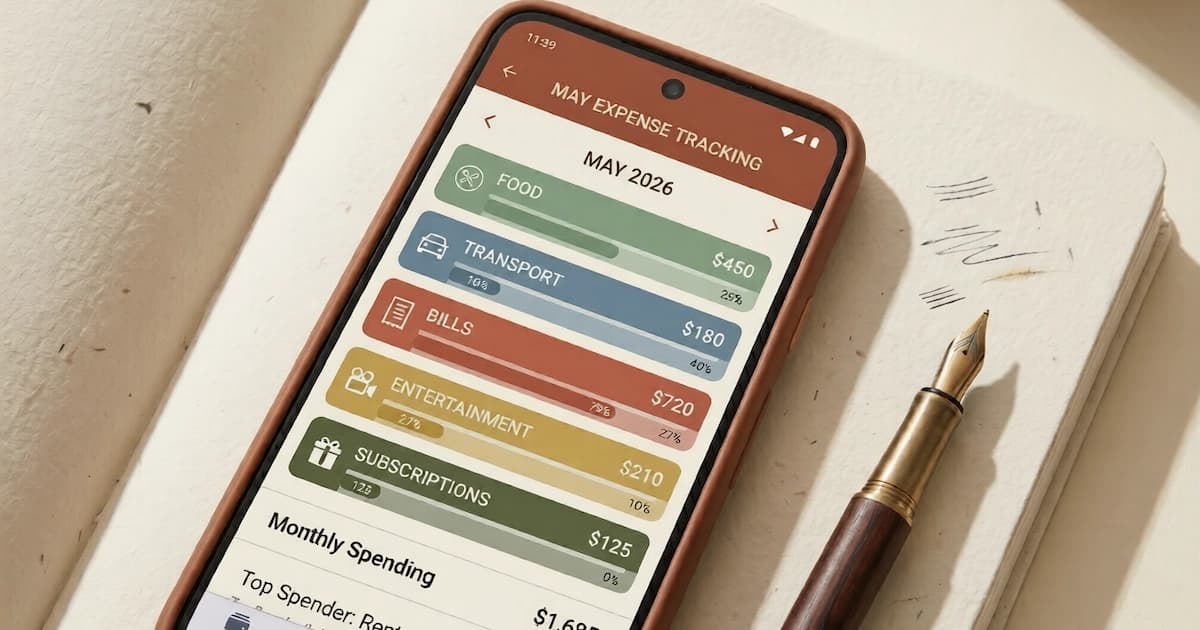
Only about a third of Americans actually tracked their spending in the past month, according to a 2025 Bankrate survey, and more than two-thirds never review their budget at all. So the honest starting point for any "best app" list is that most people install one, tap through it twice, and quit. The apps that survive that test in 2026 are a very different set from two years ago, because the biggest name in the category is gone.
When Intuit shut Mint on 23 March 2024, roughly 25 million users lost the free tracker that had defined the category for over a decade. Its data moved to Credit Karma, which kept the credit score and dropped most of the budgeting, so the real winners were newer apps that absorbed the refugees. This guide covers the trackers worth installing now, free and paid, across the US and India, plus the part almost no list explains: how Indian apps quietly read your bank SMS, and why some of them stopped.
What an expense tracker app actually does
An expense tracker app is a tool that records and categorises your spending after it happens, then shows a monthly view of where the money went. You link an account or let it read your transactions, it sorts each one into a category, and your job is to look at the dashboard, not to plan ahead.
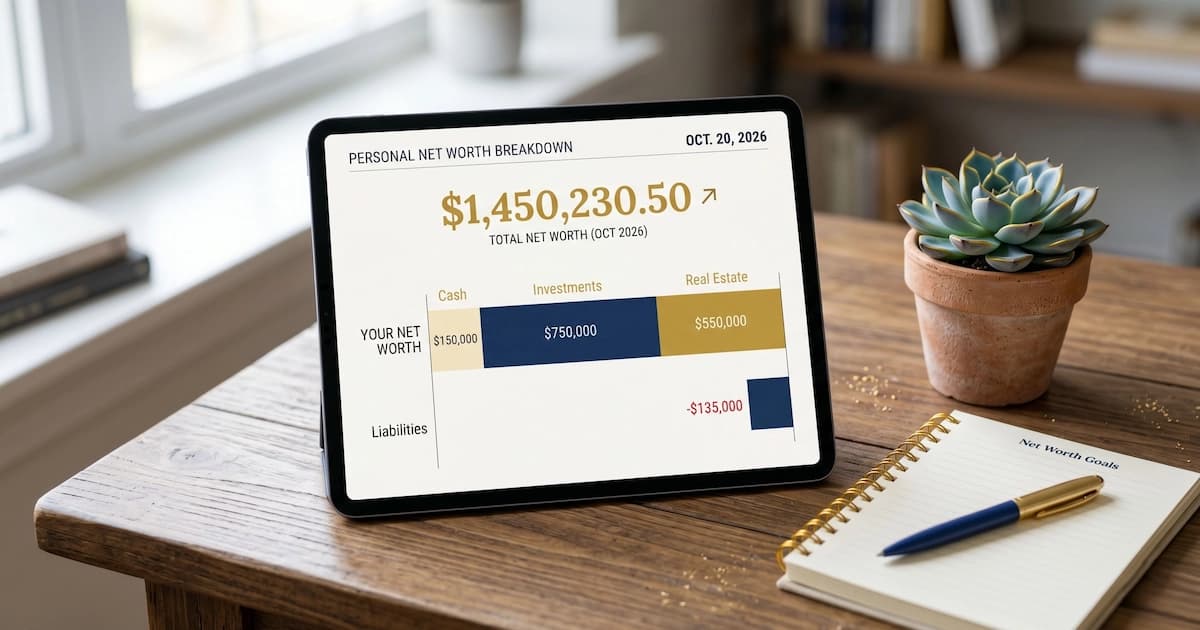
That makes it a different tool from the two it gets confused with. A budgeting app asks you to assign money to categories before you spend, then tracks what is left, which our best budgeting apps for beginners guide covers. A net-worth app rolls every account into one assets-minus-debts figure over time, covered in best apps to track net worth, and a portfolio app goes inside your investments, covered in best investment tracking apps. This post stays on one job: the categorised feed of what you already spent.
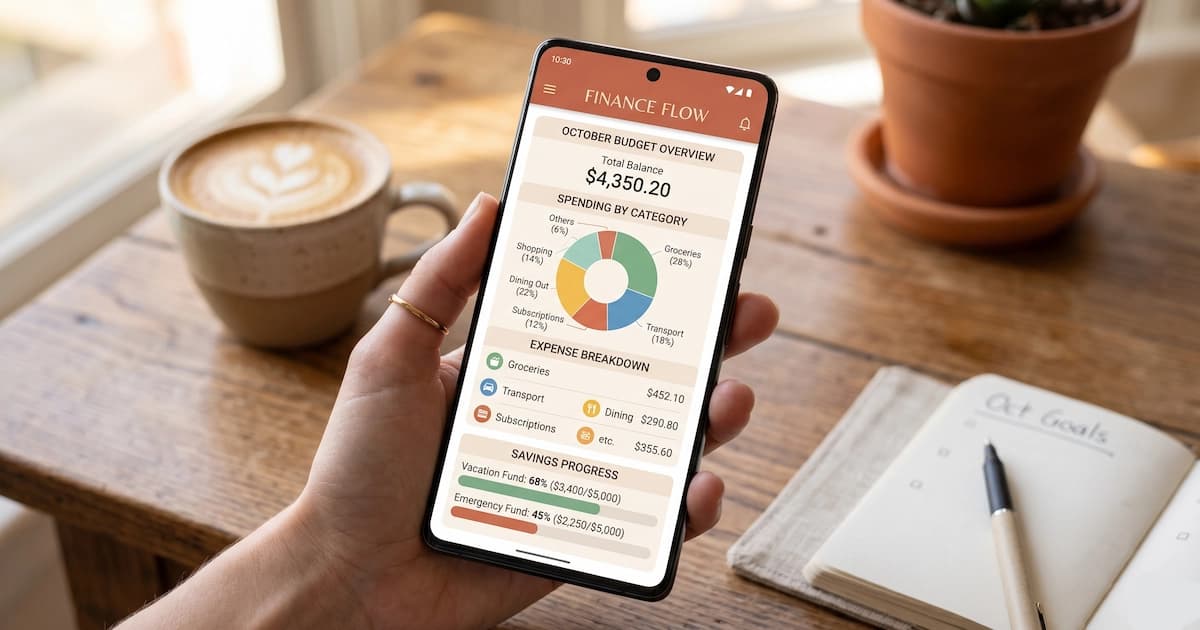
Most people end up wanting two of these, a tracker for the past and a budgeting app or spreadsheet for the month ahead. A few apps blur the line, and Monarch, Quicken Simplifi, and Empower all do some tracking and some budgeting, but the core functions stay distinct.
The best expense tracker apps at a glance
The shortlist below is the set that recurs across the 2026 review sites (NerdWallet, The Penny Hoarder, Experian, Engadget) for the US, and the India review sites (Moneyview, EquityLogy, Investing.com India) for the Indian picks. Prices are the published rates as of July 2026, and free tiers are permanent, not trials.
| App | Pricing | Best for | Market |
|---|---|---|---|
| Rocket Money | Free, or $7 to $14 a month | Free tracking plus subscription cancellation | US |
| Empower | Free | Free tracking with a net-worth view | US |
| Monarch Money | $14.99/mo or ~$99/yr | The most-cited Mint replacement, couples | US, Canada |
| Quicken Simplifi | $3.49/mo or $47.88/yr | The cheapest mainstream paid tracker | US, Canada |
| Copilot Money | $95/yr (about $13/mo) | iOS design and categorisation accuracy | US |
| Moneyview | Free | India SMS auto-tracking, top-rated | India |
| axio (formerly Walnut) | Free | India SMS tracking across all banks | India |
| ET Money | Free | India tracking plus mutual fund investing | India |
| Mera Kharcha | Free | India SMS-only, no login | India |
| Goodbudget | Free, or ~$10/mo | Manual envelope method, no bank link | Global |
The best free expense tracker apps
Rocket Money is the strongest free tracker for most US users, because it does the one thing rivals skip: it finds your recurring subscriptions and offers to cancel them. The free tier links accounts, categorises spending, and lists every subscription it detects. The paid tier, priced on a pay-what-you-want scale from $7 to $14 a month, negotiates bills down and runs a savings finder. Its tracking is lighter than Monarch's, but the subscription view alone earns it a slot next to a main app.
Empower runs the deepest free tier in the US. It links banks, cards, brokerages, and retirement accounts through Plaid, categorises automatically, and adds a net-worth and investment view that paid apps charge for. The catch is the revenue model: Empower is a wealth-management firm, so accounts above roughly $100,000 get advisory sales calls, which are easy to decline. For the net-worth side specifically, our net-worth apps guide goes deeper.
For a no-bank-link option in either country, Goodbudget rebuilds the cash-envelope system digitally (free for 10 envelopes) and Monefy gives a fast, chart-first manual log. Both need you to enter spending yourself, which is exactly the habit most people drop, but they take zero account access.
The best paid expense tracker apps
Monarch Money is the most-recommended paid Mint replacement in 2026, at $14.99 a month or about $99 a year. It deliberately mirrors the old Mint layout, adds household sharing so two partners feed one dashboard, and keeps a polish Mint had long stopped maintaining. If you are migrating off Mint or Credit Karma, the free trial is enough to test the import.
Quicken Simplifi is the value pick at $3.49 a month or $47.88 a year, the cheapest mainstream paid tracker. It is Quicken's cloud, mobile-first app, separate from the old desktop software, and stays lean: tracking, savings goals, a refund tracker, and a light "planned spending" bridge into budgeting.
Copilot Money is iOS-only and carries the best interface and categorisation accuracy in the category, at $95 a year (about $13 billed monthly). Reviewers call it the app Mint should have grown into. YNAB, at $14.99 a month or $109 a year with a 34-day trial, also shows up on tracker lists, though it is really a hands-on budgeting app; if you want the plan-ahead method rather than the look-back one, that is the crossover pick.
The best expense tracker apps in India
In India the best expense trackers are the ones built to read your bank SMS, because that is how spending gets captured without a US-style bank-linking network. Plaid, which US apps depend on, barely covers Indian banks, so India-built apps went a different way.
Moneyview tops nearly every Indian list. Its Money Manager reads your transaction SMS after you grant permission and builds real-time reports across every bank that texts you, with no account login. axio, the app formerly called Walnut, pioneered this SMS approach in India and still runs it across all major banks, and it also tracks bills and loans (it is Android-only). ET Money bundles tracking with India's direct mutual-fund and SIP investing in one app, in eight Indian languages with voice search, which is why many Indians start there.
For an SMS-only, no-login experience, Mera Kharcha reads bank and UPI texts and auto-sorts spends, EMIs, and investments, and the open-source PennyWise AI parses SMS from 85-plus banks entirely on-device. Neobanks like Jupiter and Fi track automatically too, but only see spending on their own account, so they miss UPI from a different bank. For manual control, the Realbyte Money Manager and Monefy work in India as anywhere.
How SMS-based expense tracking works in India, and why some apps stopped
SMS-based expense tracking, also called SMS auto-tracking, is the feature where an app reads your bank's transaction alert texts and logs the spending automatically, with no manual entry and no bank login. It still works in India in 2026, and the apps that do it are Moneyview, axio, ET Money, Mera Kharcha and the open-source PennyWise AI. What changed is that it is now a privileged, exception-gated capability instead of something any app can offer. This is the single most important thing the Indian review sites leave out, so it is worth walking through.
Worth clearing up one thing first, because it causes real confusion. Walnut was the app most Indian lists recommended for this, and it was discontinued in 2024. That is not the same as the feature dying. Automatic transaction parsing from bank SMS is alive and available today. The app that was famous for it is the part that went away.
Google first restricted the READ_SMS permission on the Play Store in October 2018: only an app set as your default messaging app, or granted a specific exception, could read texts. The concrete casualty was Bluecoins, a popular budgeting app that requested an exception, was refused, and stripped SMS entirely from version 7 in January 2019, killing its bank-SMS feature overnight. Google then tightened the rules again for financial-services apps from 25 October 2023, and once more in July 2024, requiring a permissions declaration and barring apps from harvesting unrelated personal texts.
The survivors are the incumbents that qualified for the financial-transaction exception, which is why Moneyview and axio still read SMS in 2026 while many generic apps quietly reverted to manual entry or on-device parsing. And even a permitted app is fragile: when a bank changes its SMS wording, the parser stops detecting transactions and you often notice only after weeks of missing data.
The compliant future is the RBI Account Aggregator framework, a consent-based system that lets you share account data through a regulated intermediary with encrypted, permission-driven access, no SMS scraping and no password sharing. India treats it as the data layer of its digital public infrastructure, sitting alongside Aadhaar for identity and UPI for payments. Almost no expense-app listicle mentions it, yet it is where automatic tracking is heading.
Does an expense tracker work the same on iPhone and Android?
In the US the platform barely matters. In India it decides whether automatic tracking is possible at all, because the SMS route the section above describes cannot exist on an iPhone.
Apple has never shipped an equivalent of Android's READ_SMS permission. The one SMS-adjacent capability it offers developers is an SMS Fraud Extension for blocking confirmed spam, and Apple's own App Review Guidelines put a hard fence around even that: guideline 2.5.12 says data reached through those tools may not be used, shared or sold for tracking or for building user profiles. There is no sanctioned path by which an iPhone app reads your bank's transaction alerts and files them as spending.
So the same app name can mean two different products depending on the phone in your pocket.
| Android | iPhone | |
|---|---|---|
| India, SMS auto-tracking | Possible, for the apps holding Google's financial-transaction exception | Not possible at all |
| India, the alternative | Account Aggregator or manual entry | Account Aggregator or manual entry |
| US, bank sync via aggregator | Works | Works |
| US, practical difference | Minimal | Minimal |
That reframes the two searches. "App for expense tracking android" and "app for expense tracking iphone" are close to the same question in the US and genuinely different questions in India, where the second one is really asking what replaces SMS parsing. The honest answer there is the Account Aggregator route or typing it in yourself.
One limit worth stating. We checked the mechanism, not each app's feature parity across the two stores, and app listings in this category are a minefield: searching the App Store for one Indian expense app returns a same-named product from an unrelated developer, released June 2025, that is manual-entry and offline-only. Before installing on iPhone, check the developer name against the company you meant.
What is the best expense tracker app for couples in India and the US?
"For couples" is really two different jobs, and the apps that do one usually do the other badly. Splitting costs between two people who keep separate accounts is not the same as running one household budget that both can see.
Splitwise is the splitting tool. It tracks who paid for what and what is owed, works in India in rupees, and stops there: it is not a budget, and it has no UPI integration, so settling up means leaving the app, opening a payments app and typing the amount in by hand. Honeydue is the household tool most lists name, built for couples, with shared wallets, bill splitting, chat and per-account privacy controls so each person chooses what the other sees.
Two things about Honeydue that those lists leave out, both checked on its own site in September 2026. Its region list runs United States, Canada, United Kingdom, Spain and France, so Indian couples cannot use it at all. And the homepage still carries a 2024 copyright while promoting a waitlist, which is not a shutdown notice and is not the sign of a product under active development either.
For an Indian couple the shelf is thinner than the US listicles imply, though it is not empty, and the one India-built option repays a close read.
Coupl is an Indian app that gives two people one shared balance and two matching RuPay cards, and it is a prepaid wallet rather than a bank account. Both app stores list it as Coupl: Joint Banking. Its own FAQ is straighter than that title, since it says accounts are issued by LivQuik Technology (India) Pvt Ltd, an RBI-authorised issuer of prepaid payment instruments, or PPIs, and the site states plainly that Coupl is not a bank. The product is current, with a zero-balance wallet, physical and virtual RuPay cards and 1% cashback on card spends, all checked on its own site in September 2026.
That distinction matters, because RBI's Master Direction on Prepaid Payment Instruments sets three limits a savings account does not carry. A full-KYC PPI cannot hold more than ₹2,00,000 at any point in time. The issuer, in the Direction's own words, "shall not pay any interest on PPI balances". And the money sits in an escrow account at a scheduled commercial bank, which is a different mechanism from DICGC deposit insurance, because DICGC covers deposits held at banks and a PPI issuer is not a bank. Read together, those three rules describe an instrument built for shared spending, not for holding a couple's savings.
So the realistic Indian options are Splitwise for splitting, Coupl for a shared spending pot, a shared spreadsheet, or a budgeting app whose free tier covers two devices, which Goodbudget's does. Paid household dashboards like Monarch are US-first and rely on US bank connections.
How expense apps connect to your bank, and is it safe
US expense apps connect through Plaid, a data network that links more than 12,000 financial institutions to over 8,000 apps using read-only, encrypted access, so an app can see your transactions but cannot move your money. That read-only design is the reassuring part. The genuine trade-offs sit elsewhere.
The first is data sharing. Some apps monetise anonymised spending data, so the privacy policy matters more than the marketing page; a paid app that sells nothing is sometimes the cheaper deal once your data is counted. The second is credential exposure, which is why India's picture is different. There, prefer an app that reads SMS only on your device, or one that uses the Account Aggregator consent flow, over anything that asks for your net-banking password. No legitimate tracker needs that password, and handing it over is the one move that turns a convenience app into a real risk.
UPI adds its own wrinkle. Indians make roughly 30 to 100 UPI payments a week against 5 to 15 card payments, and in December 2025 alone UPI processed 21.63 billion transactions worth about ₹27.97 lakh crore. That volume, spread across PhonePe, Google Pay, and Paytm with messy merchant names, is precisely why a single clean feed is so hard and why SMS aggregation stuck around.
Do you even need an app? App vs spreadsheet vs manual
An expense app is optional, and the survey data says most people track fine without one. In WalletHub's 2025 budgeting survey only about 17% to 18% of US adults used a budgeting or tracking app; pen and paper was the most common method overall, and spreadsheets led among the 30-to-44 group. An app wins on automation and losing interest slowly; a spreadsheet wins on zero permissions, zero cost, and total control of your data.
The honest split is this. If your spending is mostly on cards or UPI and you want it captured without effort, an app earns its place. If you pay a lot in cash, distrust linking accounts, or simply want to feel each rupee or dollar as you log it, a Google Sheets budget does the job with nothing to breach and nothing to cancel. Many people run both: an app for the automatic feed, a sheet for the monthly reckoning. For the underlying habit either way, see how to track spending.
What expense trackers still do poorly
Three limits apply across every app on this list. Automatic categorisation is approximate, misfiling something like 5% to 15% of transactions on the first sync, because a single Amazon or Flipkart charge could be groceries, electronics, or a gift, and a UPI transfer to a friend lands as "Transfer" with no context. Cash spending vanishes entirely for any app that relies on bank data, so the autorickshaw fare, the split dinner, and the wet-market vegetables never appear unless you type them in, which most people abandon within weeks. And the view only ever looks backward: a tracker tells you where the money went, never whether next month's spending is affordable, which is the budgeting app's job.
The newer complaint is pricing creep. Several apps that were free under the old Mint model have paywalled the useful parts, and PocketGuard, for instance, now gates its core disposable-income number behind a subscription. "Free" in 2026 needs checking against where the paywall actually starts.
Why do people search "expense tracking apps reddit"?
Because this category churns faster than the lists that describe it, and a forum thread at least carries a date. That is a different reason from the one behind most "reddit" searches, and it is specific to expense trackers.
Look at what has changed inside three years. Mint, the most-recommended tracker of its decade, shut on 23 March 2024. Walnut, the Indian equivalent, is now axio and does not appear under its old name. Google restricted SMS reading in October 2018, tightened it for financial apps from 25 October 2023, and tightened it again in July 2024. Any recommendation written before those dates is describing a set of apps that no longer exists in that form, and most of the pages ranking for this term were.
A thread carries a timestamp, so you can see how stale it is. A listicle carries a "2026" in the title regardless of when anyone last checked. That is the whole appeal, and it is a fair criticism of pages like this one.
The catch is that forum threads go stale in exactly the same way, they just admit it. A 2023 comment recommending an app for its SMS tracking was accurate when written and is not now. So the check is the same either way: find the date, then ask whether anything in the list above changed after it.
We have not summarised what any thread says, because Reddit refuses automated requests from us and we are not going to characterise a source we cannot read.
What this guide does not cover
This guide is about consumer expense and spending tracking; it is not personalised advice on which app you should buy or link. It does not rank business or freelance tools in depth (Expensify, QuickBooks, and Zoho Expense are the usual India and US choices there, with receipt scanning and GST or Schedule C features a consumer tracker lacks), nor does it cover budgeting apps, net-worth apps, or portfolio trackers, each of which has its own guide linked above. App prices and free-tier limits change often, so treat the figures here as a July 2026 snapshot and check the current plan before you subscribe.
Frequently asked questions
What is the best free expense tracker app in 2026? In the US, Rocket Money and Empower are the strongest free trackers. Rocket Money links your accounts, categorises spending, and flags recurring subscriptions to cancel; Empower adds net-worth and investment views most apps charge for. In India, the best free option is an SMS-reading app such as Moneyview or axio, which categorise spending automatically from your bank's transaction texts without an account login, plus ET Money if you also invest. The right pick depends on your country and whether bank-linking or SMS-parsing fits your setup.
What replaced Mint after it shut down? Intuit shut Mint on 23 March 2024 and moved its data to Credit Karma, which kept credit monitoring but dropped most budgeting and net-worth features, so reviewers widely rate it a weak substitute. The users mostly went elsewhere: Monarch Money is the most-cited replacement (built partly by ex-Mint people, with household sharing), while Rocket Money and Copilot absorbed others. There is no free, ad-supported, do-everything clone of old Mint in 2026; replacements are either free with a different revenue model or paid outright.
Is there an app that tracks expenses automatically from SMS in India? Yes. Moneyview, axio (formerly Walnut), ET Money, Mera Kharcha, and the open-source PennyWise AI read your bank and UPI transaction SMS after you grant permission, then categorise spends with no manual entry. The catch is that Google's Play Store now restricts SMS access to apps with a special financial-services exception, so many general apps lost the feature, and even when it works the parsing can silently break when a bank changes its SMS format. On-device-only parsers keep the data on your phone.
Can I track UPI spending automatically? Only partly today. SMS-aggregator apps such as axio and Moneyview catch the UPI-debit texts across PhonePe, Google Pay, and Paytm, but each payment app's own history is siloed, so no single app gives a clean cross-app view. Indians make far more UPI payments than card payments (UPI was about 85% of India's payment volume in 2025), which is why SMS aggregation persists. The RBI Account Aggregator framework is the compliant, consent-based route to pull account data without SMS scraping, and more apps are adopting it.
What is the difference between an expense tracker and a budgeting app? An expense tracker categorises money after it is spent: you link an account, transactions flow in, and a dashboard shows where last month's money went. A budgeting app assigns money before it is spent: you allocate income across categories upfront and it tracks what is left. Mint and Empower are trackers; YNAB and Goodbudget are budgeting apps. Some apps do both (Monarch, Quicken Simplifi), but the intent differs. A tracker builds awareness of the past; a budgeting app drives decisions about the future.
Are expense tracker apps safe to link to my bank? US apps connect through Plaid, a data network linking over 12,000 institutions, using read-only access with bank-grade encryption, so the app can see transactions but cannot move money. The real trade-offs are data-sharing (read the privacy policy for whether the app sells anonymised data) and the account credentials you expose. In India, prefer apps that read SMS on-device only, or that use the RBI Account Aggregator consent model, over anything asking for your net-banking password, which no legitimate tracker needs.
Is expense tracking different on iPhone and Android? In the US, barely. In India it decides whether automatic tracking is possible at all. Apple has never shipped an equivalent of Android's READ_SMS permission, and the one SMS-adjacent capability it gives developers is an SMS Fraud Extension for blocking confirmed spam, which Apple's App Review Guideline 2.5.12 says may not be used, shared or sold for tracking or profiling. So the SMS auto-tracking that defines India's expense-app category cannot exist on an iPhone. On iOS in India the routes are the RBI Account Aggregator framework or manual entry. In the US both platforms sync through a data aggregator, so the choice hardly matters.
What is the best expense tracking app for couples? It depends which of two jobs you mean, and most lists blur them. Splitting costs between two people with separate accounts is Splitwise's job: it works in India in rupees, tracks who owes what, and has no UPI integration, so settling means leaving the app. Running one household budget both people can see is Honeydue's job, with shared wallets, bill splitting and per-account privacy controls. Two things about Honeydue that lists omit, both checked on its own site in September 2026: its regions are the United States, Canada, United Kingdom, Spain and France, so Indian couples cannot use it, and the homepage still carries a 2024 copyright. For an Indian couple that leaves Splitwise, Coupl, a shared spreadsheet, or a budgeting app whose free tier covers two devices.
What is the best couple expense tracker app in India? Splitwise handles the splitting, because it works in rupees and tracks who owes what, though it still has no UPI integration in 2026, so settling up means leaving the app. For one shared pot the India-built option is Coupl, which gives two people a single balance and two matching RuPay cards. One thing its marketing does not lead with is worth knowing: both app stores list it as Coupl: Joint Banking, but it is a prepaid wallet and not a bank account, issued by LivQuik Technology (India) Pvt Ltd under RBI's prepaid payment instrument rules. Those rules cap a full-KYC wallet at ₹2,00,000, bar the issuer from paying any interest on the balance, and protect the money through a bank escrow account, which is a different mechanism from DICGC deposit insurance. Honeydue, the app most US couples lists lead with, is unavailable in India entirely.
In summary
The best expense tracker in 2026 depends on your country and how much you want automated. US users have the deepest field: Rocket Money or Empower for free, Monarch for the polished paid pick, Copilot for iOS design, Simplifi for value. Indian users are best served by SMS-reading apps, Moneyview or axio, with ET Money if investing sits alongside, all free and built for UPI and Indian banks.
The Mint shutdown made this list better than it would have been, since Monarch out-polishes old Mint and Rocket Money hunts subscriptions Mint never touched. What it took away was the free, ad-supported model, and in India a quieter shift is underway: the SMS-reading trick that powered a decade of Indian apps is being fenced off by Google, and the consent-based Account Aggregator framework is what comes next. The app you pick matters less than whether you open it after week two, which the survey data says is where most people, and most trackers, quietly stop.
Sources
- Bankrate, Survey: More than two-thirds of Americans aren't budgeting (2025), bankrate.com
- WalletHub, Budgeting Statistics (2025 survey), wallethub.com
- Bloomberg, Intuit winds down personal finance app Mint, shifts users to Credit Karma (1 November 2023), bloomberg.com
- Google Play, Use of SMS or Call Log permission groups (developer policy), support.google.com
- Apple, App Review Guidelines (guideline 2.5.12, CallKit and SMS Fraud Extension), developer.apple.com
- Honeydue (couples finance app, regions and site state checked September 2026), honeydue.com
- Coupl (shared wallet for couples; PPI issuer, card network and product state checked September 2026), coupl.money
- Reserve Bank of India, Master Directions on Prepaid Payment Instruments (paragraph 7.4 on interest, 9.2 on the full-KYC balance cap, 12.3 on escrow), rbi.org.in
- Deposit Insurance and Credit Guarantee Corporation, FAQs (what deposit insurance covers, and the ₹5 lakh limit per depositor per bank), dicgc.org.in
- Press Information Bureau, Account Aggregator ecosystem as Digital Public Infrastructure, pib.gov.in
- Reserve Bank of India, Financial Education resources, rbi.org.in




You might also like
The best budgeting apps for beginners in 2026, chosen by budgeting method. Zero-based, envelope, and 50/30/20 picks for India and the US, free and paid.
20 min read
Compare the 8 best net worth tracker apps for 2026, free and paid. Empower, Monarch, Kubera, with pricing, best-for picks and a Mint alternative.
15 min read

The best portfolio and investment tracker apps for India and the US in 2026: holdings versus watchlist, MF-only versus all-asset, overlap, and the free routes.
19 min read