Form 26AS Password: One Rule for PDF, Text, and Excel

By Tapabrata Biswas · Updated August 13, 2026 · 18 min read
Written and fact-checked by Tapabrata Biswas. How I write
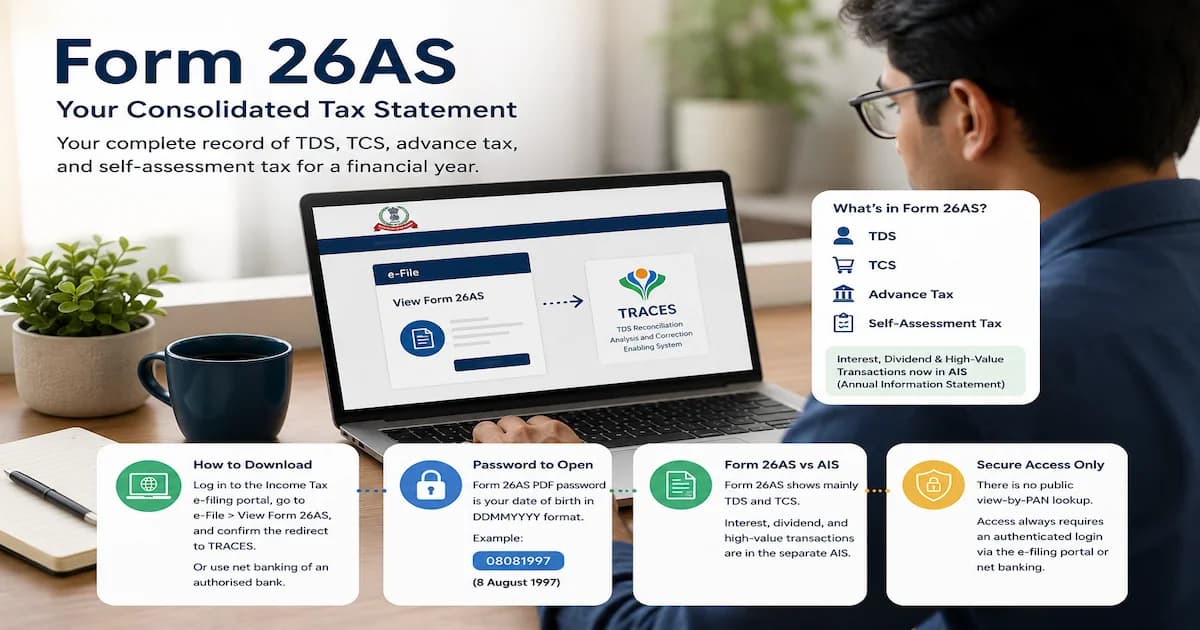
Most people arrive here with the file already downloaded and a password box refusing everything they type. So the password comes first, then the download route, what the form shows now, and how it differs from the AIS and Form 16.
The short answer is your date of birth as DDMMYYYY. The longer answer is worth two minutes, because the format you downloaded does not change the password, and the rule most pages give you belongs to a different document.
This is a definitional explainer, not tax-filing advice. Reconciling figures, choosing an ITR form, and fixing a mismatch depend on your own situation, so consult a Chartered Accountant before you file.
What's the password to open Form 26AS?
The password for Form 26AS is your date of birth in DDMMYYYY format, with no slashes, exactly as recorded on your PAN. For a date of birth of 8 August 1997, the password is 08081997. For 16 June 1977, it's 16061977.
This one has an official source behind it, which is rarer in this corner of tax admin than you'd expect. The TRACES taxpayer FAQ answers it directly: "Password for Form 26AS/Annual Tax Statement is 'Date of Birth of Taxpayer' in 'DDMMYYYY' format." The TRACES e-tutorial on password formats says the same in a table, giving the password as the date of birth as per PAN and the worked example that a date of birth of 01-Feb-1980 makes the password 01021980.
Does the text file use a different password?
No. The same date-of-birth password opens the PDF, the text file and the Excel file.
This deserves stating plainly because the question comes up constantly and the answer is easy to doubt. The evidence is in the structure of the TRACES FAQ itself. Four questions before it gives the password, the same FAQ lists the formats: Form 26AS can be viewed in HTML and downloaded as a PDF, a text file, or an Excel file. So TRACES documents three download formats and then issues one password covering all of them. It is not an oversight, and there is no PDF row and text row in the official password table. There is one row, for Form 26AS.
The HTML view on screen needs no password at all. Only the downloaded files are protected, and the text version arrives zipped, so the date of birth unlocks the zip and the file inside it.
Why does PAN plus date of birth keep failing?
Because that password belongs to a different document, and the pages recommending it have taken the wrong row from the right table.
The format people try, PAN in lowercase run straight into the date of birth, looks like asbdf1234t12031985. It genuinely appears in the official TRACES password table. But it sits on the row for intimations sent by e-mail, not the row for Form 26AS. Somewhere along the way it got copied across, and it now circulates widely as the 26AS rule. On the government's own table, it isn't.
Worth knowing the AIS is the opposite case. There, PAN in lowercase followed by date of birth is the working format, which is exactly how the two get blurred. The full picture is in the AIS password rules. Form 26AS is date of birth alone.
What the popular pages get wrong
The published guidance on this single question does not agree with itself, and three of the contradictions are worth naming so you can stop second-guessing a password that works.
| Claim you'll find | Status |
|---|---|
| Form 26AS is not password protected at all | Wrong for the downloaded file, true only of the on-screen HTML view |
| The PDF has no password, only the text file does | Wrong, and it inverts the one page that draws the distinction |
| The password was required once but no longer is | Wrong, and TRACES still publishes the rule |
| The password is PAN in lowercase plus date of birth | Wrong for 26AS, right for the AIS and for e-mailed intimations |
One honest limit. For a company or other non-individual, several sites say the date of incorporation replaces the date of birth. That is plausible and it may well work, but the TRACES password table carries no separate non-individual row for Form 26AS, so we cannot point you at an official statement of it.
What is Form 26AS?
Form 26AS is a consolidated annual tax statement, maintained by the Income Tax Department against your PAN, that shows the tax deducted, collected, and paid on your income across a financial year. It works like a tax passbook: every rupee of TDS your employer or bank withholds, every bit of TCS, and any advance or self-assessment tax you pay lands here, tagged to your PAN.
The naming around it is genuinely confusing, so it's worth settling. Form 26AS used to be called the Annual Tax Statement under Section 203AA of the Income-tax Act, but the Finance Act 2020 removed that section from 1 June 2020. It now sits under Section 285BB, read with Rule 114-I, which is why some sources call it an "annual information statement in Form 26AS." That is a different thing from the standalone document literally named the AIS, which we get to below. Three near-identical names, and the practical upshot is simple: Form 26AS is the tax-credit side of your record.
Why it matters at filing time is the key point. Your income tax return is matched against Form 26AS, so the TDS you claim has to line up with what the form shows. If it doesn't, the return can be treated as defective or the refund held.
What does Form 26AS actually show now?
Since AY 2023-24, Form 26AS on the TRACES portal displays mainly your TDS and TCS data, along with the tax you paid directly and the refunds you received. The department confirmed this narrowing in its own AIS documentation, which states that other details now sit in the Annual Information Statement instead.
The current structure runs across parts numbered with Roman numerals, not the old A-to-G letters that many blogs still show. For a salaried reader the parts that matter look like this.
| Part | What it records |
|---|---|
| PART-I | TDS on your income (salary, interest, professional fees) |
| PART-II | TDS where you filed Form 15G or 15H for nil deduction |
| PART-III | TDS on winnings, benefits in kind, and virtual digital assets (194B, 194R, 194S) |
| PART-IV | TDS on property sale, rent, and certain payments (194-IA, 194-IB, 194M) |
| PART-VI | TCS collected from you |
| PART-VII | Refunds paid to you |
| PART-VIII | TDS you deducted and deposited as a buyer or tenant |
| PART-X | TDS or TCS defaults flagged during processing |
Advance tax and self-assessment tax you paid by challan also appear. What you will not reliably find any more is the block of high-value financial transactions the form once carried, and that surprises people.
Why does my Form 26AS look emptier than it used to?
Because from AY 2023-24 the department moved the interest, dividend, and high-value transaction data out of Form 26AS and into the separate Annual Information Statement. A 26AS that shows mostly TDS and TCS today, with none of the SFT or interest detail you remember, is behaving correctly.
The history explains the confusion. In 2020 the "new" Form 26AS under Section 285BB briefly expanded to carry specified financial transactions in a dedicated part. Then the AIS launched in November 2021 as a fuller record, and the financial-transaction data migrated there. Many current top-ranking pages still describe Form 26AS as holding your SFT and share transactions, which was true a few years ago and isn't the whole story now. If you're hunting for your mutual-fund purchases or savings-account interest, that lives in the AIS, not here.
How do you download Form 26AS?
You download Form 26AS by logging in to the income tax e-filing portal and letting it redirect you to the TRACES site, where the statement is actually rendered. You do not view it on incometax.gov.in directly, and there's no standalone taxpayer download on TRACES that the portal now leads with.
The current route, by its 2026 menu labels:
- Log in at incometax.gov.in with your PAN as the user ID and your password.
- Go to e-File, then Income Tax Returns, then View Form 26AS (Tax Credit).
- Read the disclaimer and click Confirm to be redirected to the TDS-CPC (TRACES) website.
- On TRACES, accept the usage terms and click View Tax Credit (Form 26AS).
- Select the assessment year and choose View As HTML.
- Click View or Download, then Export as PDF to save it.
One selector trips people constantly. Form 26AS is picked by assessment year, not financial year. For income earned in FY 2025-26, you choose AY 2026-27. Get that wrong and the statement looks blank.
There's a second route that skips the tax portal. If you bank with an authorised bank where your PAN is mapped to the account, log in to net banking and open the Tax Credit Statement or Form 26AS link, which takes you to the same TRACES view, free of charge. Around two dozen banks offer it, including SBI, ICICI, Axis, Kotak Mahindra, Bank of Baroda, and others.
How do you turn the text file into readable columns?
Unzip it with the date-of-birth password, then split the contents in Excel using the caret character as the delimiter. The raw text file looks like an unreadable wall of symbols until you do this, which is why so many people go looking for a separate Excel download.
Open the unzipped file, copy the contents into Excel, then use Data, then Text to Columns, choose Delimited, and enter ^ as the delimiter. That turns the wall of text into the same columns you'd see on screen.
Can you view Form 26AS by PAN without logging in?
No public page lets you enter a PAN and see Form 26AS, because it holds your entire tax ledger and access is gated to authenticated logins only. The "view Form 26AS by PAN number" that many people search for, meaning an open by-PAN lookup, doesn't exist.
The closest thing to a no-tax-portal-login method is net banking at an authorised bank where your PAN is linked, and even that is an authenticated session, run through your bank's login. Anyone offering a Form 26AS "by PAN, no login" is either misdescribing the net-banking route or is not legitimate.
Form 26AS vs AIS vs Form 16
Form 26AS is your tax-credit statement, the AIS is a much broader record of your reported financial activity, and Form 16 is your employer's salary-TDS certificate. All three feed the same return, and cross-checking them before filing is what keeps it clean.
| Document | What it is | Who produces it |
|---|---|---|
| Form 26AS | Tax-credit statement: TDS, TCS, advance and self-assessment tax, refunds against your PAN | Income Tax Department (via TRACES) |
| AIS | Annual Information Statement: all reported financial transactions, including interest, dividends, securities, and mutual funds | Income Tax Department |
| Form 16 | Salary-TDS certificate for the year | Your employer |
The sharpest distinction is coverage. Form 26AS shows only transactions where tax was actually deducted or collected, while the AIS shows them whether or not tax was deducted. Fixed-deposit interest below the TDS threshold, for instance, appears in the AIS but not in Form 26AS. There's a practical difference in corrections too: an AIS error you can flag with online feedback, whereas a Form 26AS error has to be fixed by the deductor filing a revised TDS return. The full breakdown of the AIS is here. For the salary side of the picture, see what Form 16 is, and for how withholding itself works, what TDS is.
Why is my TDS not showing in Form 26AS?
Almost always because the deductor has not yet filed the quarterly TDS return, so the credit hasn't reached the system. The tax may well have been cut from your salary or interest, but until the employer or bank files Form 24Q or 26Q and it's processed, it won't appear against your PAN.
The other usual suspects: a PAN typo in the deductor's return, where even one wrong character breaks the mapping; a challan, TAN, or assessment-year mismatch; or tax that was deducted but never deposited. Once a correct return is processed, the credit typically shows within 7 to 15 working days, longer during the March-to-April crush. A separate case worth knowing is TDS that appears in your AIS but not in Form 26AS, which points to the same deductor-side lag.
The discipline that follows from this is simple. Don't claim TDS in your return that isn't in Form 26AS yet, because the return is matched against the form, and a claim it can't verify invites a notice. Chase the deductor to file the correction first.
What do the SFT and 194N entries in Form 26AS mean?
An SFT entry flags a high-value transaction reported to the department, and a 194N entry is TDS your bank cut on a large cash withdrawal. Both show up as codes that look cryptic until you know what they map to.
SFT stands for Statement of Financial Transactions, a reporting mechanism under Section 285BA. The one people ask about most is SFT-005, time deposit, which flags one or more fixed deposits aggregating ₹10 lakh or more in a financial year. A quiet trap here: sweep-in and sweep-out FDs each register as a fresh time deposit, so the total can cross ₹10 lakh without any single large deposit. Related codes include SFT-006 for credit-card payments, SFT-007 for bonds, and SFT-008 for shares. As covered above, most SFT detail now surfaces through the AIS these days.
Section 194N is TDS on cash withdrawals. If you've filed your returns for the past three years, it kicks in at 2% on cash withdrawn above ₹1 crore in a year. If you haven't, the threshold drops sharply, to 2% above ₹20 lakh and 5% above ₹1 crore. That TDS lands in Form 26AS with the bank as the deductor, and the credit for it is claimed through ITR-2 or ITR-3, not ITR-1.
Is Form 26AS being replaced by Form 168?
Under the new Income-tax Act 2025, Form 26AS is set to be renamed Form 168 from FY 2026-27 onward, though the substance stays the same. Business Standard and several tax platforms report the change, tied to the new rules replacing Rule 114-I, with the renamed form using PAN-based identification and dropping the Aadhaar display.
For this year's filing, none of that changes what you do. For your FY 2025-26 return, Form 26AS is still the operative form, under its current name. Treat Form 168 as the label the same statement is expected to carry going forward; there's no new document to hunt for this year.
What this post deliberately does not cover
To keep the scope honest on a tax topic:
- The full ITR-filing walkthrough, ITR-1 vs ITR-2 selection, and the reconcile-before-filing steps are in the Indian income tax guide for salaried employees.
- How TDS works as a mechanism, and the individual sections and rates, are in what is TDS.
- Form 16's parts and password, which are a separate document, are in what is Form 16.
- The slab structure and old-vs-new regime sit in income tax slabs explained.
- This is general education, not filing advice. For a persistent mismatch, a missing credit, or any unusual entry, a Chartered Accountant is the right professional to consult before you file.
Frequently asked questions
What is Form 26AS in simple terms? Form 26AS is a consolidated annual tax statement that the Income Tax Department maintains against your PAN. It records the tax deducted at source (TDS) on your salary and other income, tax collected at source (TCS), any advance tax or self-assessment tax you paid, and refunds issued to you during the financial year. Think of it as a tax passbook: it is the department's own record of the tax credited to your PAN, and it is what your income tax return is checked against at filing time.
How do I download Form 26AS? Log in to the income tax e-filing portal at incometax.gov.in with your PAN and password, then go to e-File, then Income Tax Returns, then View Form 26AS. Confirm the disclaimer to be redirected to the TRACES (TDS-CPC) site, accept the usage terms, and click View Tax Credit (Form 26AS). Select the assessment year, choose to view it as HTML, then use Export as PDF to save it. You can also reach it through net banking at an authorised bank where your PAN is mapped to the account.
What is the password for Form 26AS? The password is your date of birth in DDMMYYYY format, with no slashes, as recorded on your PAN. For a date of birth of 8 August 1997, the password is 08081997. TRACES states this in its taxpayer FAQ and gives the same rule in its password-format e-tutorial, with the example that a date of birth of 01-Feb-1980 makes the password 01021980. The same password opens the PDF, the text file and the Excel file: the TRACES FAQ lists all three formats and then issues one password for the form, and the official password table has a single Form 26AS row covering every format. The HTML view on screen needs no password. The widely repeated rule of PAN in lowercase followed by date of birth is on the table's row for e-mailed intimations, not the Form 26AS row, which is why it keeps failing here even though it is correct for the AIS.
What is the password for the Form 26AS text file? The same as the PDF: your date of birth in DDMMYYYY format. There is no separate text-file password. The TRACES taxpayer FAQ lists the three download formats, PDF, text and Excel, and then gives a single password for Form 26AS, and the official password-format table carries one Form 26AS row covering every format. The text version downloads as a zip, so the date of birth opens the zip and the file inside it. To read it, copy the contents into Excel and use Data, then Text to Columns, choosing Delimited with the caret character as the delimiter.
Can I see Form 26AS by PAN number without logging in? No. There is no public page where you can enter a PAN and view Form 26AS, because it holds your full tax and TDS ledger and access is restricted to authenticated channels. The only way to view it without logging in to the income tax portal is through net banking at an authorised bank where your PAN is linked to the account, and that is still a login, just your bank's rather than the tax portal's.
Why is my TDS not showing in Form 26AS? The most common reason is that the deductor (your employer, bank, or tenant) has not yet filed the quarterly TDS return, so the credit has not reached the system. Other causes are a PAN typo in the deductor's return, a challan or assessment-year mismatch, or tax that was deducted but not deposited. After a correct return is processed, the credit usually appears within 7 to 15 working days. Until it shows, do not claim that TDS in your return, because the return is matched against Form 26AS.
Where to go from here
Form 26AS is the tax-credit half of your income tax record: the TDS, TCS, advance tax, and refunds the department has logged against your PAN. Since AY 2023-24 it's been trimmed to that tax-side data, with the interest, dividend, and high-value entries it once held now living in the AIS, which is why a current copy can look sparse. Download it through the e-filing portal or net banking, open any of the three file formats with your date of birth in DDMMYYYY, and pick the assessment year and not the financial year.
The one habit worth carrying away is the cross-check. Before a return goes in, the figures on Form 26AS, the AIS, and your Form 16 should tell the same story, and a gap is a signal to chase the deductor, not to file over it. For the return that Form 26AS feeds, start with the Indian income tax guide for salaried employees.
Sources
- TRACES (TDS Reconciliation Analysis and Correction Enabling System), Taxpayer FAQ on Form 26AS, stating the password as the taxpayer's date of birth in DDMMYYYY format, and separately listing the PDF, text and Excel download formats: contents.tdscpc.gov.in
- TRACES, e-tutorial: Password Format (Income Tax Department, 2016), whose taxpayer table gives the Form 26AS password as the date of birth as per PAN with the worked example 01021980, and places the PAN-plus-date-of-birth format on the row for e-mailed intimations: contents.tdscpc.gov.in
- Income Tax Department of India, Annual Information Statement (AIS) FAQ, including the AY 2023-24 narrowing of Form 26AS to TDS/TCS data: incometax.gov.in
- Income Tax Department of India, TDS on cash withdrawal under Section 194N (FAQ): incometax.gov.in
- TaxGuru, Form 26AS under Section 285BB and Rule 114-I: taxguru.in
- ClearTax, View Form 26AS tax-credit statement, parts and structure: cleartax.in
- ClearTax, Statement of Financial Transactions (SFT) codes: cleartax.in/s/sft
- Business Standard, Form 26AS to be replaced by Form 168 under the new regime: business-standard.com



You might also like
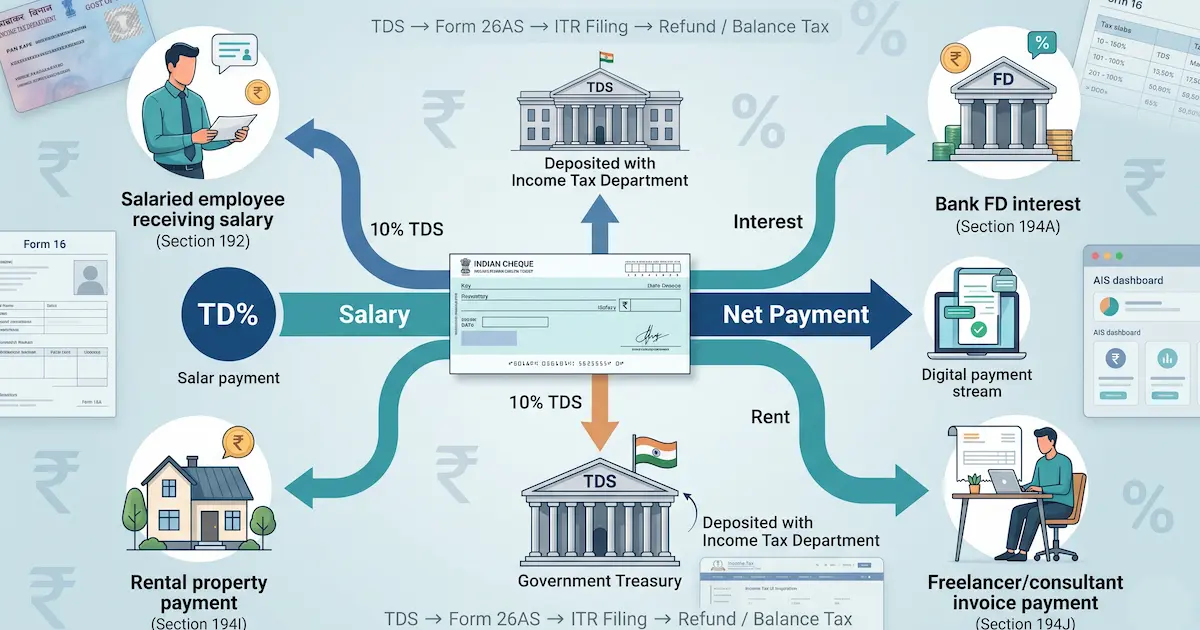
TDS is tax withheld from your salary, interest, and rent. The FY 2025-26 section rates and thresholds, what Budget 2025 changed, and how TDS differs from TCS.
15 min read
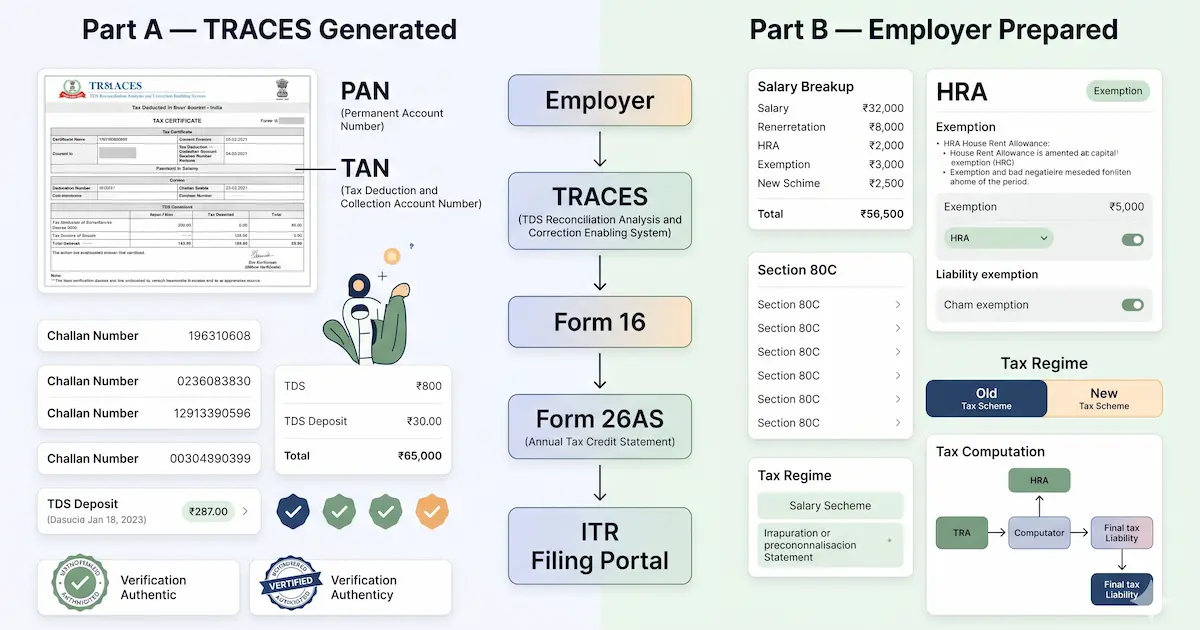
Form 16 becomes Form 130 from Tax Year 2026-27, and a different Form 16 now certifies research donations. Plus the password and filing without it.
20 min read
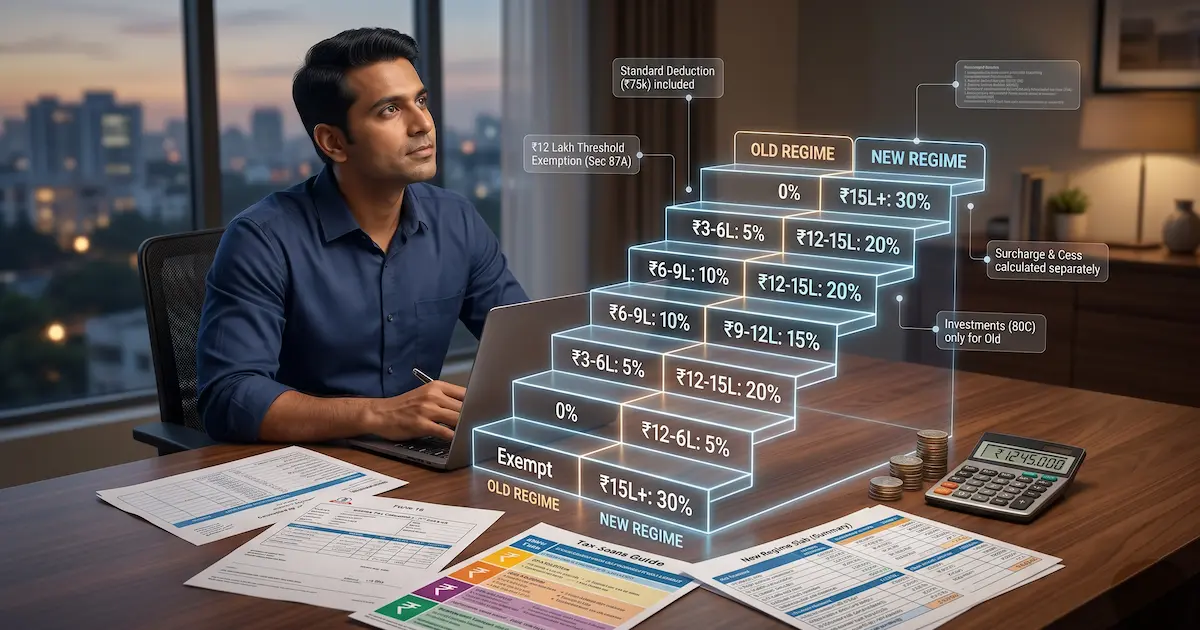
Income tax slabs in India for FY 2025-26 (AY 2026-27): new and old regime rates, the ₹12.75 lakh salaried zero-tax point, the 87A rebate, surcharge, and cess.
18 min read