AIS Password Format, and the 26AS Rule Most Pages Get Wrong

By Tapabrata Biswas · Updated August 29, 2026 · 19 min read
Written and fact-checked by Tapabrata Biswas. How I write

Most guides to the AIS rush you to a download button. The more useful thing to understand is what the statement actually is: the tax department's own running record of your financial year, built from what your bank, employer, broker, and registrar quietly report against your PAN. Get that, and the password, the TIS, and the feedback button all make sense. This guide leads with the concept, then the password everyone searches for, what the statement shows, and how it feeds your return.
One point up front, because it changes how you read everything else: the AIS is a reference, not the last word. If something is missing or wrong, you're still responsible for declaring your actual income. This is a definitional explainer, not tax-filing advice. Reconciling entries, responding to a mismatch notice, and choosing what to report all depend on your situation, so consult a Chartered Accountant before you file.
What is the AIS (Annual Information Statement)?
The Annual Information Statement (AIS) is the Income Tax Department's comprehensive record of a taxpayer's financial information for a year, compiled against their PAN from data reported by banks, employers, and other institutions. The department's own description calls it a "comprehensive view of information for a taxpayer," and that breadth is the whole point.
The CBDT launched the AIS on 1 November 2021. It operates within the Section 285BB framework introduced by the Finance Act 2020, and the transactions inside it are furnished by reporting entities under Section 285BA read with Rule 114E. You don't need the section numbers to use it, but they explain why it exists: the law obliges banks, sub-registrars, mutual funds, and others to report your high-value dealings, and the AIS is where that reported data surfaces for you to see.
Three jobs sit behind it. The AIS lets you see what the department already knows before you file, it gives you a way to flag anything wrong through online feedback, and it feeds a prefilled version of your return. What it is not is conclusive. If a bank forgot to report your interest, that income is still taxable and still yours to declare, so the AIS is a cross-check, never a substitute for your own records.
What's the password to open the AIS PDF?
The password to open the AIS PDF is your PAN in lowercase, immediately followed by your date of birth in DDMMYYYY format, with no space. For a PAN of ABCDE1234F and a date of birth of 21 January 1985, the password is abcde1234f21011985.
For a company or other non-individual, the date of incorporation replaces the date of birth, in the same DDMMYYYY form.
| Document | Password format | Example |
|---|---|---|
| AIS PDF | PAN (lowercase) + DOB (DDMMYYYY) | abcde1234f21011985 |
| Non-individual AIS PDF | PAN (lowercase) + date of incorporation | abcde1234f15062010 |
| TIS PDF | Same as the AIS PDF | abcde1234f21011985 |
| Form 26AS PDF | Date of birth alone (DDMMYYYY) | 21011985 |
The last row is where most pages go wrong, and it is worth being careful about.
Why does Form 26AS use a different password?
Form 26AS comes from a different system, TRACES, and TRACES publishes its own rule: the password is the taxpayer's date of birth in DDMMYYYY format, with no PAN at all. That is stated in the TRACES taxpayer FAQ, which makes it the only password rule in this whole area with an official source behind it.
Plenty of well-ranked pages tell you to use PAN plus date of birth for 26AS. On the government's own answer, that is wrong, and it is why the file keeps refusing a password that works perfectly on the AIS. The 26AS download itself arrives as a text file, and turning it into a spreadsheet takes a specific import step.
Is there an official source for the AIS password?
No, and that absence explains why the answers you find contradict each other. I went looking, and the result is worth reporting precisely.
The Income Tax Department's official AIS Handbook, published by Project Insight, does not contain the word "password" anywhere in its text. Its AIS FAQ page runs to sixteen questions, including one specifically on download formats, and none of them mentions a password. The AIS help page on the portal says only that you can download in PDF, JSON and CSV.
So every page telling you the AIS password, including this one, is reporting what works, with no rule to cite. The lowercase PAN plus DDMMYYYY format is what the field agrees on and what opens the file. It just has no published authority underneath it, and anyone claiming otherwise is citing a document that does not say it.
That vacuum has consequences you can hit. Two pages currently ranking at or near the top for password searches give a format that will not open the file: one says PAN in capitals followed by the birth year alone, so ABCDE1234F1985, and another prints its example with an uppercase PAN. Try those and you will conclude your own details are wrong when the instructions were.
If a password fails, the usual causes are ordinary. Capitals left on for the PAN. Slashes or dashes typed into the date. A company using a director's date of birth instead of the date of incorporation. And if none of that clears it, the AIS also downloads as JSON and as CSV, so the password-protected PDF is not the only way in.
What does the AIS show? Part A and Part B
The AIS is organised into Part A, which holds your identity details, and Part B, which holds the financial information reported against your PAN. Part A is the header: PAN, masked Aadhaar number, name, date of birth or incorporation, mobile number, email, and address. Part B is where the money lives.
Part B is grouped into blocks:
| Part B block | What it covers |
|---|---|
| TDS/TCS Information | Tax deducted or collected on your income, with information codes and values |
| SFT Information | High-value transactions reported by banks, registrars, and others under the SFT rules |
| Payment of Taxes | Advance tax and self-assessment tax you paid |
| Demand and Refund | Demand raised, refund issued, and interest on refund |
| Other Information | Salary annexures, foreign remittances, interest on refund, and more |
Across those blocks, the AIS surfaces a wide sweep of income and dealings: salary, savings-account interest, interest on fixed and recurring deposits, dividends, rent received, the purchase and sale of shares, bonds, and mutual fund units, property transactions, foreign remittances, and even your GST turnover, which appears under the information code EXC-GSTR3B.
A specific gotcha worth knowing, because it causes real panic every July. The value the AIS shows for your securities may not match your broker's profit-and-loss statement. Zerodha, for one, explains that reporting entities use best-available or closing prices for cost of acquisition, which need not match what you actually paid, so the AIS figure and your real gain can diverge. That's a reporting quirk, and the number to trust for your return is your own computed capital gain.
How do you download the AIS and TIS?
You download the AIS by logging in to the income tax e-filing portal and letting it hand you off to the AIS (Compliance) portal, where both the AIS and the TIS are available. There's no shortcut around the login: unlike Form 26AS, which you can reach through net banking, the AIS is available only after you sign in to the tax portal.
The route, by its current labels:
- Log in at incometax.gov.in with your PAN and password.
- Either click Annual Information Statement (AIS) on the dashboard, or go to e-File, then Income Tax Return, then View AIS.
- Click Proceed to be redirected to the AIS (Compliance) portal.
- Select the financial year, then open the AIS or TIS tile.
- Use the download icon: AIS as a password-protected PDF or as JSON, and the TIS as a PDF.
One quirk to flag for anyone abroad: the AIS portal is firewalled against access from outside India, so NRIs often cannot open it without a workaround. And you pick the statement by financial year on that homepage, so choose the right year before expecting the tiles to show data.
What is the TIS, and how is it different from the AIS?
The Taxpayer Information Summary (TIS) is a category-wise aggregated summary derived from the AIS, and it is the version that prefills your income tax return. Where the AIS is the raw ledger, listing every transaction from every source separately, the TIS de-duplicates and totals those entries into clean categories like total salary or total interest.
The distinction that almost no page explains cleanly is the two values the TIS carries:
| Value in the TIS | What it means |
|---|---|
| Processed value | The figure after the system removes duplicates using its own rules, before you do anything |
| Derived value | The figure after your feedback is taken into account, on top of the processed value |
The derived value is the one that matters, because the portal uses it to prefill your return. Submit feedback on a wrong AIS entry and the TIS updates in real time, moving the derived value to what you say it should be. So the AIS is what was reported, and the TIS is what that reduces to once duplicates are stripped and your corrections are applied.
How do you give feedback to correct the AIS?
You correct the AIS by opening a transaction, clicking Optional in the feedback column, choosing the option that fits, and submitting, which updates your TIS in real time. This is the AIS's real superpower, and the sharpest line between it and Form 26AS: a wrong AIS entry you can dispute yourself online, whereas a wrong Form 26AS entry can only be fixed by the deductor filing a revised TDS return.
The feedback screen offers six options, from the official AIS user guide:
| Feedback option | When you'd use it |
|---|---|
| Information is correct | The entry is yours and every detail is right |
| Information is not fully correct | It's yours but a figure is off; you enter the right value |
| The information relates to other PAN or year | Joint ownership, or the amount belongs to a different year |
| Information is duplicate or included in other information | Already counted elsewhere |
| Information is denied | You do not recognize the transaction at all |
| Customized feedback | Category-specific options for particular kinds of entries |
After you submit, the AIS shows your modified figure alongside the reported one, an acknowledgement receipt becomes available, and email and SMS confirmations follow. The modified figure then updates the derived value in your TIS. The reporting source may be asked to confirm your correction, so feedback is a request backed by verification, not a silent override.
Is the AIS becoming Form 168?
From Tax Year 2026-27 the AIS is Form No. 168, and Form 26AS is folded into it. The Central Board of Direct Taxes heads its own guidance Form No. 168 (Earlier Form No. 26AS) and opens with a mapping table:
| Old | New | |
|---|---|---|
| Form as per I.T. Rules | 26AS (AIS) (1962) | 168 (2026) |
| Section of I.T. Act | 285BB (1961) | 510 (2025) |
| Rule of I.T. Rules | 114-I (1962) | 245 (2026) |
Read the old column carefully. CBDT writes "26AS (AIS)" on one line, as a single form. From the department's side these were never quite the two separate documents the rest of us have been reconciling against each other, and from Tax Year 2026-27 they are openly one statement.
Nothing here touches the return you are filing for FY 2025-26. That one goes in under the 1961 Act, where the AIS and Form 26AS are still two files with two download routes and, as the sections above set out, two different password rules.
The merge does not answer the password question, and by now that looks like a pattern. The Form 168 FAQ runs to twelve questions. It covers what the AIS is, what the TIS is, how to reach both, what Part A and Part B hold, how to submit feedback and what to do when income is missing. It does not mention a password, a file format or a download type anywhere. That makes three CBDT documents about this statement, the AIS Handbook, the sixteen-question AIS FAQ and now the Form 168 FAQ, none of which states the rule that every page on the subject confidently prints.
AIS vs Form 26AS
The AIS is your detailed financial statement, while Form 26AS is your narrower tax-credit statement. Since AY 2023-24, Form 26AS on the TRACES portal shows mainly TDS and TCS data, and the wider financial information moved into the AIS.
The cleanest way to hold the difference: Form 26AS shows only transactions where tax was actually deducted or collected, while the AIS shows your dealings whether or not any tax was cut. Fixed-deposit interest below the TDS threshold, for example, appears in the AIS but never in Form 26AS. There's also a practical tie-breaker most guides skip: where the TDS or tax-payment figures in the two disagree, the convention is to go by Form 26AS for those specific numbers. The full 26AS side of this, including its parts and download route, sits in what Form 26AS is, and how the underlying withholding works is in what TDS is.
This whole comparison has an expiry date on it. It describes the position under the 1961 Act, which still governs the return you file for FY 2025-26. From Tax Year 2026-27 the two become one statement in Form 168, and the question of which document wins on a disputed TDS figure stops arising, because there is only one document.
What do the SFT codes in the AIS mean?
An SFT code in the AIS flags a high-value transaction that a bank or institution reported about you under the Statement of Financial Transactions rules. Each entry shows the SFT code, a description, and the value, and this is now the main home for such data after it moved out of Form 26AS.
The codes most salaried taxpayers run into:
| SFT code | Transaction | Threshold in a financial year |
|---|---|---|
| SFT-005 | Time deposits (fixed deposits) | ₹10 lakh or more |
| SFT-006 | Credit-card bill payments | ₹1 lakh in cash, or ₹10 lakh by other modes |
| SFT-007 | Purchase of bonds or debentures | ₹10 lakh or more |
| SFT-008 | Purchase of shares | ₹10 lakh or more |
A quiet trap lives in SFT-005. Sweep-in and sweep-out fixed deposits each count as a fresh time deposit, so the ₹10 lakh total can be crossed without any single big deposit, and the code shows up even though nothing felt like a large investment.
What happens if the AIS doesn't match your return?
A gap between what your return declares and what the AIS holds can trigger a mismatch notice, so the two are worth reconciling before you file. The department compares your ITR against the AIS, Form 26AS, and the TIS, and a difference it can't square is what prompts the notice.
Ignoring one carries real cost: penalties, interest, and in some cases scrutiny, where the assessing officer can estimate income from the data on hand. When the AIS shows a transaction you don't recognize or a figure that looks inflated, the descriptive fix is the feedback flow above, choosing the option that fits with a genuine reason. What that resolves and what it doesn't depends heavily on the specific entry, so a Chartered Accountant is the right person to advise on your actual mismatch or any notice you receive. For the return the AIS feeds into, the full walkthrough is in the Indian income tax guide for salaried employees.
What this post deliberately does not cover
To keep the scope honest on a tax topic:
- The full ITR-filing walkthrough, reconciling in context, and ITR-form selection are in the Indian income tax guide for salaried employees.
- Form 26AS in full, its parts, download route, and password, is in what Form 26AS is.
- How TDS works and the individual sections behind the TDS/TCS block are in what TDS is.
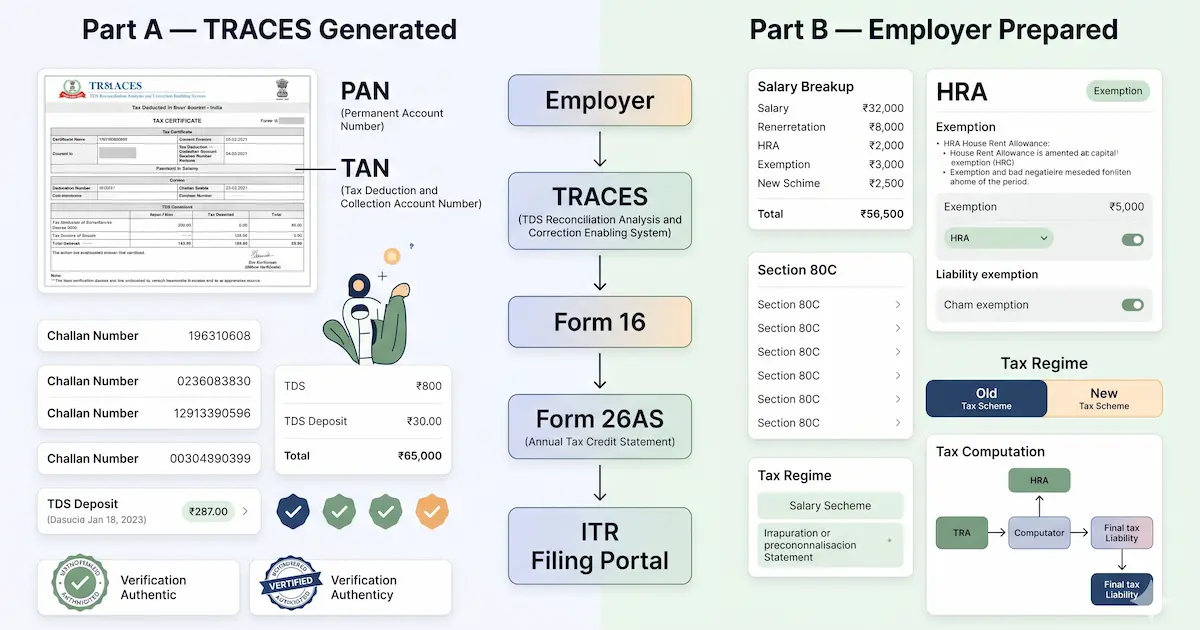
- Form 16, the salary certificate you'd also use to reconcile, is in what Form 16 is.
- This is general education, not filing advice. For an entry you can't explain, a mismatch notice, or any unusual transaction, consult a Chartered Accountant before you file.
Frequently asked questions
Is the AIS becoming Form 168? Yes, from Tax Year 2026-27, and Form 26AS is folded in with it. CBDT's guidance document is headed Form No. 168 (Earlier Form No. 26AS) and its mapping table names the old form as 26AS (AIS) on a single line, so the department treats the two as a single form line. Section 285BB of the 1961 Act becomes Section 510 of the 2025 Act, and Rule 114-I becomes Rule 245. For the return covering FY 2025-26 nothing changes, because that return is filed under the 1961 Act and the AIS and Form 26AS are still separate. What the merge does not settle is the password. That FAQ runs to twelve questions and never mentions one, which makes it the third CBDT document on this statement to stay silent on the subject, alongside the AIS Handbook and the sixteen-question AIS FAQ.
What is the AIS in income tax? The Annual Information Statement (AIS) is a comprehensive statement of a taxpayer's financial information that the Income Tax Department compiles against their PAN for a financial year. Launched in November 2021, it pulls together income and high-value transactions reported by banks, employers, mutual funds, registrars, and other institutions: salary, interest, dividends, securities and property dealings, foreign remittances, GST turnover, and the tax deducted or paid. It exists so you can see what the department already knows before you file, correct anything wrong through online feedback, and have your return partly prefilled from it.
What is the password to open the AIS PDF? The password to open the AIS PDF is your PAN in lowercase, immediately followed by your date of birth in DDMMYYYY format, with no space. For a PAN of ABCDE1234F and a date of birth of 21 January 1985, the password is abcde1234f21011985. For a company or other non-individual, the date of incorporation replaces the date of birth, and the TIS PDF uses the same format as the AIS. Form 26AS is the exception: TRACES states its password is the date of birth alone in DDMMYYYY, with no PAN. Worth knowing that no Income Tax Department document states the AIS password at all, so every source giving it, this one included, is reporting what works, with no rule to cite.
How do I download the AIS? Log in to the income tax e-filing portal at incometax.gov.in with your PAN and password, then either click the Annual Information Statement (AIS) option on the dashboard or go to e-File, then Income Tax Return, then View AIS. Click Proceed to be taken to the AIS (Compliance) portal, select the financial year, and open the AIS tile. Use the download icon to save it as a password-protected PDF, or as JSON for the offline utility. The TIS can be downloaded from the same screen as a PDF.
What is the difference between the AIS and the TIS? The AIS is the full, transaction-level list of everything reported against your PAN, so a single income type can appear as many separate entries from different sources. The TIS (Taxpayer Information Summary) is derived from the AIS: it de-duplicates and adds up those entries into category totals, such as total salary or total interest. The TIS shows a processed value (after the system de-duplicates) and a derived value (after your feedback is applied), and it is the derived value that prefills your income tax return.
How do I correct a wrong entry in my AIS? Open the AIS on the income tax portal, click the transaction, click Optional in the feedback column, choose the option that fits (such as Information is not fully correct, Information relates to other PAN or year, Information is duplicate, or Information is denied), enter the details, and submit. You get an acknowledgement, and the corrected figure updates the derived value in your TIS, which then feeds your prefilled return. The reporting source may be asked to confirm your correction. For a mismatch you cannot explain or a notice, consult a Chartered Accountant.
The thing worth carrying away is to read the AIS as a conversation, not a verdict. If an entry is wrong, the feedback button is yours to use, and the correction flows straight through to your TIS. If an entry is missing, the income is still yours to declare. That two-way nature, correctable by you and never final on its own, is what separates the AIS from every static statement that came before it.
Sources
-
Central Board of Direct Taxes, Form No. 168 (Earlier Form No. 26AS) Frequently Asked Questions, twelve questions, for the 26AS(AIS)-to-168, 285BB-to-510 and Rule 114-I-to-245 mapping, and for the continued silence on passwords: incometaxindia.gov.in
-
Income Tax Department of India, Annual Information Statement (AIS) FAQ, including Part A/B structure, TIS definition, and GST turnover under EXC-GSTR3B: incometax.gov.in
-
Income Tax Department of India, AIS user guide, feedback options: reproduced via TaxGuru
-
TaxGuru, Form 26AS and Section 285BB (Finance Act 2020) framework: taxguru.in
-
TDS Reconciliation Analysis and Correction Enabling System (TRACES), Taxpayer FAQ on Form 26AS (the only official statement of a password rule in this area, giving date of birth alone in DDMMYYYY with no PAN) tdscpc.gov.in
-
Income Tax Department, AIS FAQ (sixteen questions, including one on download formats, none of which states a password) incometax.gov.in
-
ClearTax, AIS password format, download steps, and TIS processed vs derived value: cleartax.in
-
ClearTax, Statement of Financial Transactions (SFT) codes: cleartax.in/s/sft
-
Zerodha, Why AIS securities values can differ from your actual trades: support.zerodha.com



You might also like
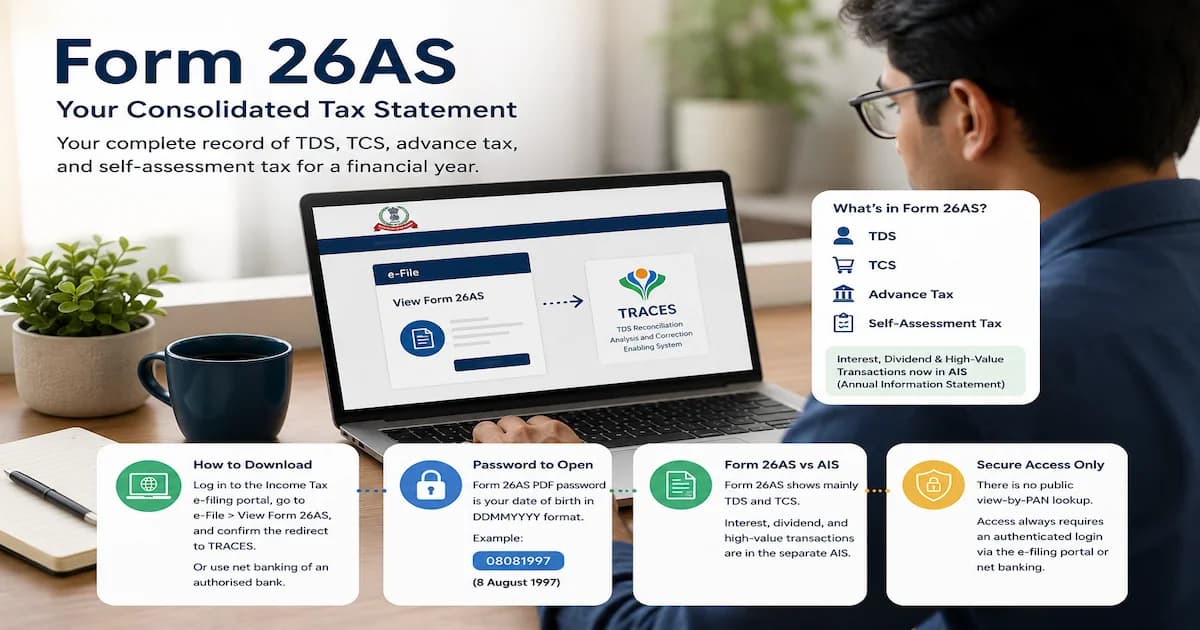
The Form 26AS password is your date of birth as DDMMYYYY, the same for PDF, text and Excel. PAN plus date of birth is a different form entirely.
18 min read
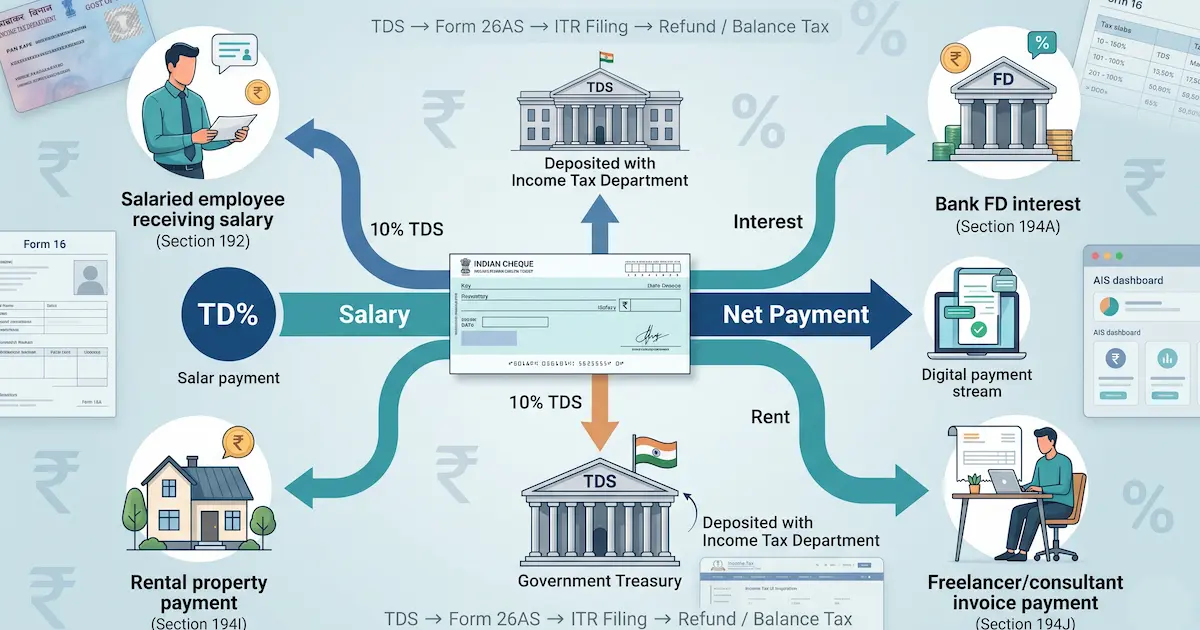
TDS is tax withheld from your salary, interest, and rent. The FY 2025-26 section rates and thresholds, what Budget 2025 changed, and how TDS differs from TCS.
15 min read
Form 16 becomes Form 130 from Tax Year 2026-27, and a different Form 16 now certifies research donations. Plus the password and filing without it.
20 min read