How to Use YNAB for Beginners: Setup, Rules & First Month

By Tapabrata Biswas · Updated July 26, 2026 · 13 min read
Researched with AI assistance, reviewed and edited by Tapabrata Biswas.
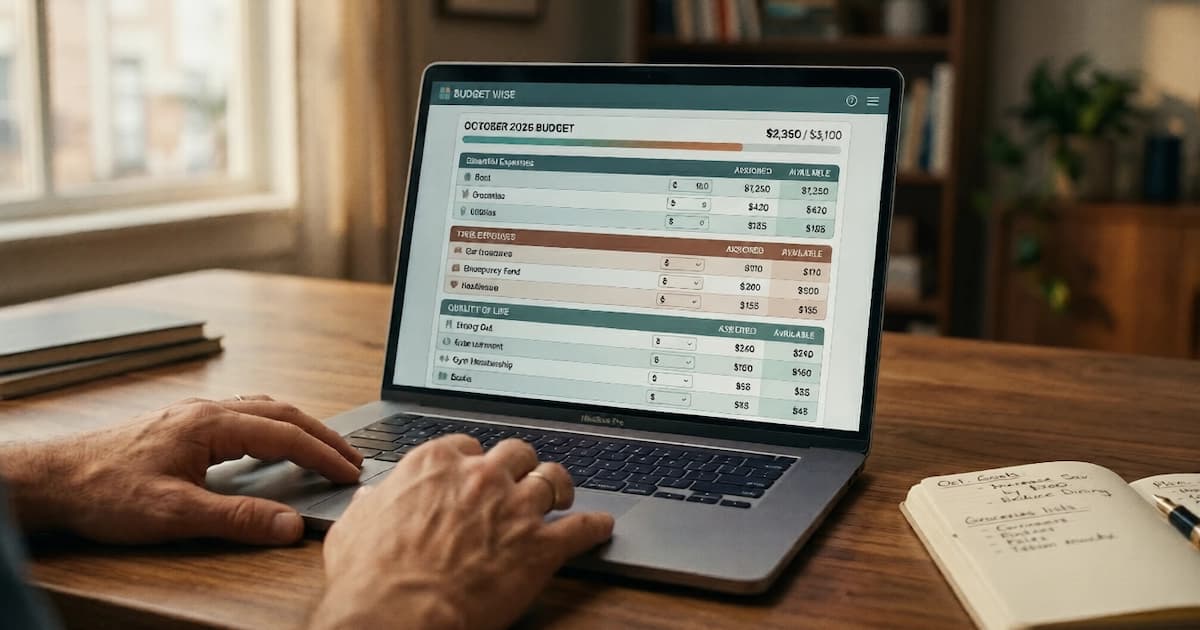
Most beginner trouble with YNAB has nothing to do with the buttons. It comes from the method, which inverts how almost every other budgeting tool works. A tracker like the old Mint watched money leave and sorted it into charts afterwards. YNAB asks you to decide where every rupee or dollar goes before you spend it. New users who treat it like a tracker end up paying for a worse tracker.
This guide covers the method in both the framing YNAB uses today and the one its own community still teaches, the first-time setup, the credit-card step that trips up nearly everyone, the first-month workflow, and the mistakes that make people quit in the first 30 days. It assumes you have started the 34-day free trial or are about to.
What is YNAB's method: four rules or five questions?
YNAB's method is zero-based budgeting built on a single instruction, give every dollar a job, so that your plan always equals the money you actually have. For most of its history YNAB taught this as four rules. In 2025 it reframed the same method around five guiding questions, which is why you will see both, sometimes on the same screen.
The classic four rules still describe the mechanics cleanly:
Rule 1, Give Every Dollar a Job. Every incoming rupee or dollar gets assigned to a category before it is spent. A ₹50,000 or $2,500 paycheck arrives, and every paisa or cent goes to rent, groceries, transport, savings, subscriptions and debt until the unassigned balance reads zero. This is zero-based budgeting, the spreadsheet method YNAB automates.
Rule 2, Embrace Your True Expenses. Irregular but predictable costs get monthly funding so they stop arriving as shocks. Car insurance every six months becomes a small monthly transfer. December gifts, an annual software renewal, school fees in March, each gets a little set aside every month.
Rule 3, Roll With the Punches. When a category overspends, you move money from another category to cover it and keep the plan balanced. Spent ₹3,000 over on groceries? Pull it from eating out, and record what actually happened.
Rule 4, Age Your Money. The long-term aim is to spend money that came in 30 or more days ago, which breaks the paycheck-to-paycheck cycle. YNAB shows an Age of Money figure for this, though the current app leans more on Targets, its goal-setting tool, than on that single number.
The 2025 five-question framing maps onto the same actions, phrased as prompts you answer when you plan:
| Guiding question | What it asks | Closest classic rule |
|---|---|---|
| Reality | What does this money need to do before I am paid again? | Rule 1 |
| Stability | What larger, less frequent spending should I prepare for? | Rule 2 |
| Resilience | What can I set aside for next month? | Rule 4 |
| Creation | What goals do I want to prioritise? | Targets |
| Flexibility | What changes do I need to make? | Rule 3 |
Whichever wording you meet first, the job is identical: assign the money you have, fund the lumpy bills early, and adjust when life moves. Most beginners live inside Rule 1 for the first three months and grow into the rest.
How do you set up YNAB the first time?
First-time YNAB setup runs 30 to 60 minutes across five steps, and the slow part is deciding where money goes, because YNAB never decides for you. The steps:
| Step | Time | What happens |
|---|---|---|
| Create account | 2 min | Sign up at ynab.com, no credit card needed for the 34-day trial |
| Add accounts | 5 to 15 min | US, Canada, UK and much of Europe can link banks directly. India and elsewhere: add accounts as unlinked for manual entry or file import |
| Enter starting balances | 5 min | Type the current balance of each account as of today |
| Build category groups | 10 to 15 min | Create the category tree: typical groups are Immediate Obligations, True Expenses, Quality of Life, Just for Fun |
| Assign available money | 10 to 20 min | Take the cash in checking plus savings and assign every rupee or dollar to a category until Ready to Assign reads zero |
That last step, Ready to Assign reaching zero, is the conceptual hurdle. YNAB does not generate a budget. It asks you to build one, and the first pass is slow because the categories do not exist yet.
For Indian users the "add accounts" step changes. YNAB's automatic import covers the US, Canada, the UK and much of Europe, so Indian accounts go in as unlinked and every transaction is entered by hand or imported from a bank file. YNAB only pays off in India if the manual-entry habit is already there or being built on purpose. If you want auto-categorisation, an Indian app covered in our best budgeting apps for beginners roundup will keep a cleaner budget with less effort.
What does a beginner category structure look like?
A workable beginner structure is 15 to 25 categories grouped by how urgent the spending is, not 50 categories built on day one. A useful starting tree:
| Group | Categories |
|---|---|
| Immediate Obligations | Rent or Mortgage, Electricity, Water, Internet, Phone, Groceries, Transport, Insurance Premiums |
| True Expenses | Car Insurance (annual), Annual Subscriptions, Vehicle Registration, Medical Co-pays, Holiday Gifts, Vacation Fund |
| Debt Payments | Credit Card Payment, Student Loan, Personal Loan |
| Quality of Life | Eating Out, Coffee Shops, Streaming Services, Books, Hobbies |
| Just for Fun | Entertainment, Shopping, Gifts to Others |
| Savings Goals | Emergency Fund, House Down Payment, New Phone Fund |
Creating 50 or 60 categories upfront becomes unmanageable by week two. Start with 15 to 25, add one only when real spending exposes a gap, and merge the ones nobody uses.
Each category can take a Target, a monthly amount you want to assign to it. A ₹500 or $25 monthly Target for streaming. A ₹6,000 or $300 Target for groceries. A ₹2,000 or $100 Target for "Car Insurance (annual)" because the ₹24,000 or $1,200 yearly policy divided by 12 is the monthly requirement.
How do credit cards work in YNAB?
When you spend on a credit card from a funded category, YNAB moves that money out of the category and into a Credit Card Payment category, so the cash to clear the statement is already set aside. This is the step that confuses new users most, and almost no beginner guide walks through it.
Work an example. You assign ₹6,000 or $300 to Groceries at the start of the month. You buy ₹2,000 or $100 of groceries on your credit card. YNAB does two things at once: it drops the Groceries available balance to ₹4,000 or $200, and it raises the Credit Card Payment category by ₹2,000 or $100. When the statement lands, the full amount you charged is sitting in Credit Card Payment, ready to pay off completely. Done every time, YNAB keeps you paying cards in full because the money was reserved the moment you swiped.
Two overspending states are worth knowing. Overspend a category on a credit card and YNAB shows yellow overspending, which quietly reduces next month's available money. Overspend in cash and it shows red overspending, which you have to cover now by pulling from another category. New users who ignore yellow overspending slowly build a card balance the budget never funded, which is the exact trap YNAB is built to prevent.
What does the first-month workflow look like?
Once setup is done the recurring workflow is short, and the monthly assignment on the 1st is the one habit that carries the whole system. The rhythm:
Daily, 2 to 3 minutes. Open YNAB. Review transactions that imported overnight, or enter the day's cash and UPI spending by hand. Categorise each, YNAB suggests categories from payee history, and glance at anything close to its limit.
Weekly, 15 to 30 minutes. Reconcile each account against the bank. Move money between categories where overspending happened. Check progress on True Expenses. Adjust the week ahead if income or a surprise bill shifted things.
Monthly, 30 to 60 minutes. On the 1st, assign the income you just received across all categories until Ready to Assign reads zero. This is when Rule 1 actually gets applied for the month. Skip it and the plan drifts within days, and the Age of Money figure, which grows on its own while you keep assigning, stalls.
Users who stop doing the monthly assignment and just watch transactions arrive turn YNAB back into the passive tracker that did not work for them the first time.
What mistakes do new YNAB users make?
The mistakes cluster around one root cause: treating YNAB as a tracker to watch, when it is a plan to maintain. Five patterns account for most first-month quits.
Waiting for a budget to appear. YNAB does not build one. Some users link accounts, wait a week, and decide it "does not work" because nothing materialised. The fix is to start at the assignment step and give every dollar a job by hand.
Funding categories from money you expect. A category needs money you already hold. Assigning ₹50,000 to Vacation because you expect to earn it this month triggers a "you are assigning more than you have" warning. Wait for the income, then assign it.
Leaving overspending for later. When groceries go red, the move is a 30-second rebalance from another category. Leave it, and by month-end three or four categories are red and the plan has fallen apart.
Ignoring True Expenses. Fund rent and groceries but skip the car-insurance category, and March arrives with a bill you cover on a card. Funding a small amount monthly is the whole point of that group.
Quitting after an imperfect first month. Month one is always rough. Categories are wrong, spending shows up you did not expect, and that visibility is the method working, not failing. Month two runs on real data and is materially calmer.
When should you keep paying for YNAB, or quit?
The 34-day trial is enough time to learn the method and judge whether the friction is worth it, and the honest answer for some people is no. Three signals at trial-end:
| Signal | Sensible action |
|---|---|
| Logged in 20+ times, three months of monthly assignment feel manageable | Continue, pay annually ($109) for the cheaper rate |
| Logged in 5 to 10 times, applied Rule 1 unevenly | Pay monthly ($14.99) for one more month to confirm |
| Logged in 2 to 3 times, the method felt like a chore | Cancel, and use a free tracker or the spreadsheet route below |
| Student with proof of enrollment | Switch to the free 12-month College Program plan regardless of usage |
Does the price pay for itself? At ₹9,100 or $109 a year, YNAB needs to change roughly one moderate spending decision a month to cover its own cost, which it does for people who actually run the plan and does not for people who let it drift. The value is the method, not the software. Someone who finds the method too rigid is served better by a passive tracker or a free budgeting spreadsheet, and neither costs anything.
What this guide does not cover
This is a how-to for the YNAB app, not financial advice, and we have no affiliate relationship with YNAB. It does not tell you how much to save or which categories your money belongs in, because that depends on income, obligations and goals no article can see.
It stays on YNAB-the-app on purpose and hands the neighbours off. The method theory, give every dollar a job and how it compares with 50/30/20 and envelopes, sits in what is zero-based budgeting. The free manual route lives in budget in Google Sheets. Choosing between apps is covered in best budgeting apps for beginners, and the student discount plus India-specific alternatives in best budgeting apps for students. For modelling a specific debt payoff that YNAB's category view does not surface, our loan calculator runs the side-by-side math.
Frequently asked questions
How much does YNAB cost in 2026 and is there a free trial? YNAB costs $14.99 per month or $109 per year, which is roughly ₹1,250 per month or ₹9,100 per year at mid-2026 exchange rates. The annual plan works out to about $9 per month, the cheapest tier. A 34-day free trial is available with no credit card required at signup. Verified college students get 12 months free through YNAB's College Program with proof of enrollment. YNAB has held its pricing steady for years.
What are YNAB's four rules, and what are the five questions? The four rules are the classic framing: Rule 1, Give Every Dollar a Job (assign all incoming money to categories before spending). Rule 2, Embrace Your True Expenses (fund irregular bills like insurance a little each month). Rule 3, Roll With the Punches (when a category overspends, move money from another). Rule 4, Age Your Money (aim to spend money that arrived 30 or more days ago). In 2025 YNAB reframed the method around five guiding questions instead: Reality, Stability, Resilience, Creation and Flexibility. The two describe the same method; the app now leads with the questions while most third-party guides still teach the rules.
Does YNAB work in India? YNAB works in India, but its automatic bank import does not cover Indian banks. Direct import is limited to the US, Canada, the UK and much of Europe. An Indian user creates accounts as unlinked and enters each transaction manually, or imports a CSV or OFX file the bank provides. The method works the same, so the value is the budgeting discipline, and the subscription buys none of the automation that justifies the price for US or UK users. Someone who wants automatic tracking in India is better served by an app built on the Account Aggregator framework or a free spreadsheet.
How do credit cards work in YNAB? When you spend on a credit card from a funded category, YNAB moves that amount out of the spending category and into a Credit Card Payment category, so the cash to clear the statement is already reserved. Example: you assign ₹6,000 or $300 to Groceries and spend ₹2,000 or $100 on the card. YNAB drops Groceries available by that amount and raises the Credit Card Payment category by the same, ready for the bill. Overspending a category on a card creates yellow overspending that reduces next month's money; overspending in cash creates red overspending you cover straight away.
Sources
- YNAB, The YNAB Method (the current method framing and the classic four rules). ynab.com/the-four-rules
- YNAB, Pricing ($14.99 monthly, $109 annual, 34-day no-card trial, College Program). ynab.com/pricing
- YNAB Support, How Direct Import Works (supported countries for automatic bank import). support.ynab.com
- Consumer Financial Protection Bureau, Budgeting tools and resources. consumerfinance.gov
- Mecham, Jesse. You Need A Budget (book). ynab.com/book
- Reserve Bank of India, Financial Education resources. rbi.org.in



You might also like

The best budgeting apps for beginners in 2026, chosen by budgeting method. Zero-based, envelope, and 50/30/20 picks for India and the US, free and paid.
20 min read
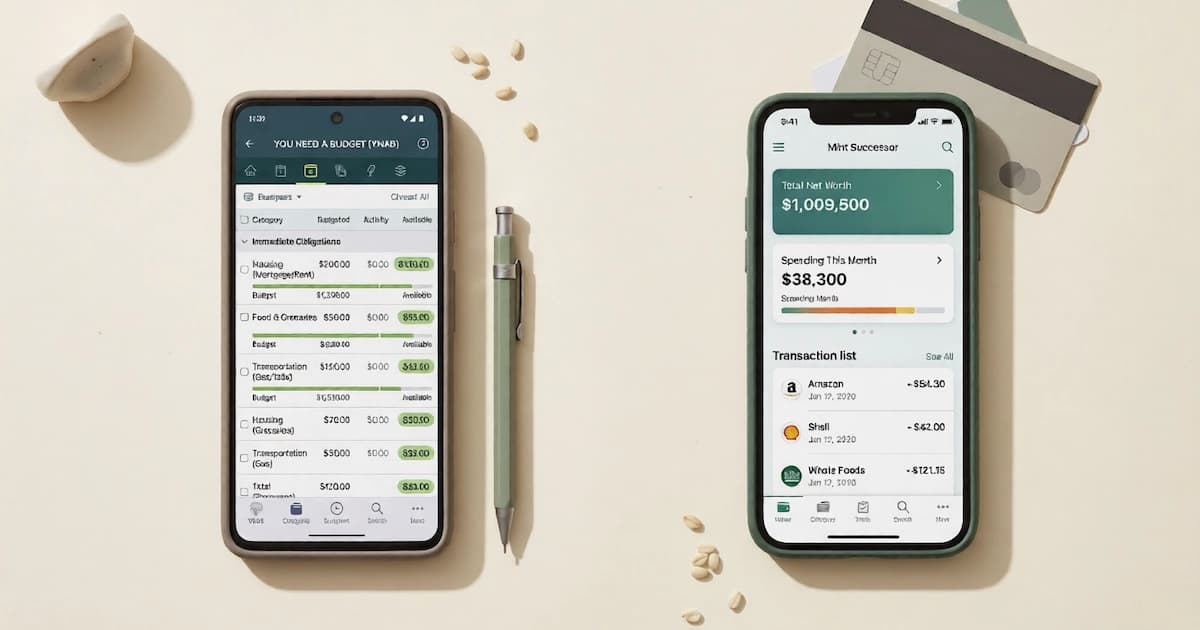
Intuit never promised budgeting parity, and the word budget never appears in its announcement. The US successors, and why none of them reaches an Indian bank.
12 min read

Give every rupee a job until income minus spending is zero. The five steps, a worked example in rupees and dollars, and where it breaks down.
14 min read