Monthly Budget Template for Beginners: A Simple Layout

By Tapabrata Biswas · Published May 10, 2026 · 9 min read
Researched with AI assistance, reviewed and edited by Tapabrata Biswas.
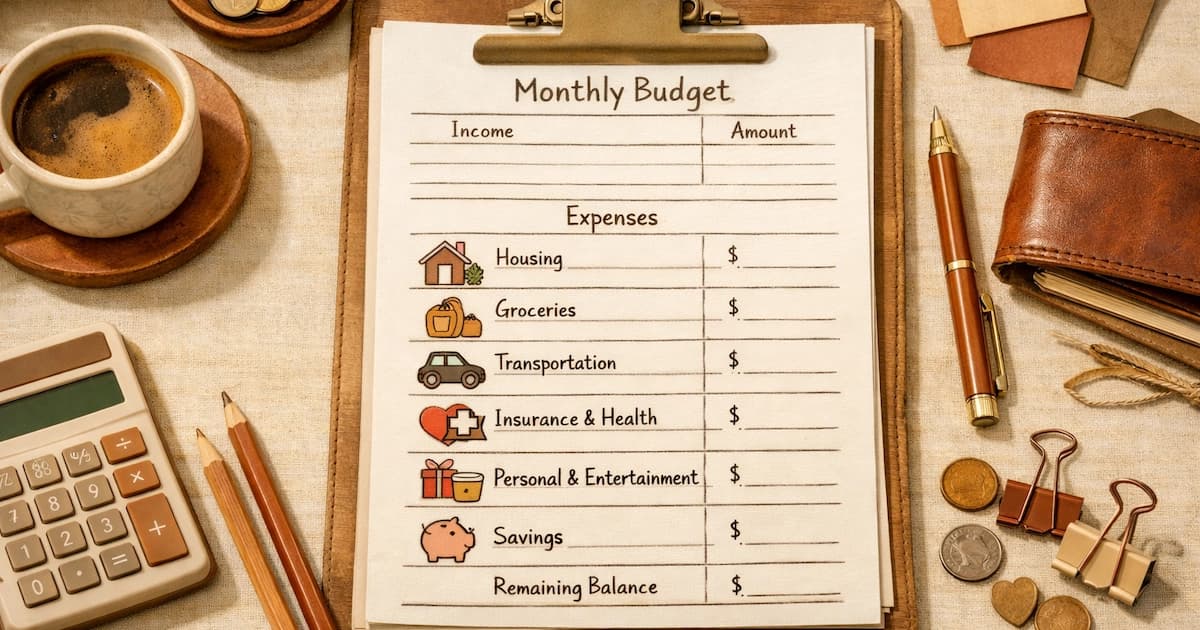
Twelve to fifteen categories. Four sections. One buffer line. Most workable monthly budget templates fit on a single sheet of paper, and the structure barely varies from one published template to the next. A monthly budget template is the layout, the categories, the columns, the structure, that turns the abstract idea of "having a budget" into a concrete document you can fill in each month. Templates remove the design problem from the budgeting problem. You don't have to decide what categories to include or how to organise them; you start with a working layout and adapt it to your household.
The template below has been refined from common patterns in published budgeting templates and is structured to suit beginners while remaining useful as households grow more disciplined.
The four-section structure
Every workable monthly budget template uses some version of a four-part structure. Income at the top: net (take-home) amount. Fixed essentials: bills that are predictable and largely the same each month. Variable essentials and savings: necessary spending that varies plus amounts going to savings goals. Discretionary plus buffer: wants, plus a small line for unexpected items.
The bottom of the template shows totals and the difference between income and assigned amounts. In a zero-based budget the difference must be exactly zero. In a 50/30/20 budget, the section totals should approximate 50/30/20 percentages.
The full template layout
Copy this directly into a spreadsheet, an app, or a notebook:
MONTHLY BUDGET TEMPLATE
Month: ____________________
Net income: $____________

FIXED ESSENTIALS                Assigned    Spent    Remaining
Rent or mortgage                 $______    $____    $______
Utilities (combined)             $______    $____    $______
Internet                         $______    $____    $______
Phone                            $______    $____    $______
Insurance (premiums)             $______    $____    $______
Minimum debt payments            $______    $____    $______
                       Subtotal: $______

VARIABLE ESSENTIALS              Assigned    Spent    Remaining
Groceries                        $______    $____    $______
Transport (fuel, transit)        $______    $____    $______
Healthcare (copays, scripts)     $______    $____    $______
Personal care                    $______    $____    $______
                       Subtotal: $______

SAVINGS AND GOALS                Assigned    Spent    Remaining
Emergency fund deposit           $______    $____    $______
Retirement contribution          $______    $____    $______
Sinking funds (irregular bills)  $______    $____    $______
Extra debt payment               $______    $____    $______
                       Subtotal: $______

DISCRETIONARY                    Assigned    Spent    Remaining
Eating out and entertainment     $______    $____    $______
Subscriptions                    $______    $____    $______
Personal spending (each adult)   $______    $____    $______
Hobbies                          $______    $____    $______
Gifts                            $______    $____    $______
Miscellaneous buffer             $______    $____    $______
                       Subtotal: $______

TOTAL ASSIGNED:    $______
NET INCOME:        $______
DIFFERENCE:        $______
Total assigned should equal net income (zero difference) for a zero-based budget. For 50/30/20, check the section subtotals: essentials should be roughly 50%, discretionary roughly 30%, savings roughly 20%.
How to fill it in step by step
Net income goes at the top first. Pull your most recent pay stubs and write the after-tax, after-deduction figure. For two-income households, sum both. For variable-income households, use the lowest reliable monthly figure from the last six months.
Fixed essentials come next. These are the easiest to fill in because they don't change much month to month. Rent, utilities, internet, phone, insurance, minimum debt payments. Use the actual bill amounts; don't estimate.
Variable essentials follow. Use realistic averages from your bank statements rather than aspirational lower numbers. If groceries are historically $480, write $480, not $350 and hope.
Savings and goals come fourth. Even small amounts ($25 to an emergency fund) count. The savings line is the one that distinguishes a sustainable budget from a survival budget. If you're starting from zero, allocate at least something here every month.
Discretionary is whatever's left after essentials and goals. Don't try to inflate this section; if it's small after the essentials are set, that's a real signal about your cost structure, not a reason to under-budget the essentials.
The buffer line should always be there. A small ($50-$100) miscellaneous line absorbs the items nobody anticipated.
Then check the totals. Add up all your assigned amounts. Compare to net income. If they don't match, adjust until they do.
A worked example: $4,000 net income household
Same template filled in for a sample household earning $4,000 per month, with a small credit card balance:
Month: May 2026
Net income: $4,000

FIXED ESSENTIALS                 Assigned
Rent or mortgage                 $1,300
Utilities (combined)               $180
Internet                            $50
Phone                               $90
Insurance (premiums)               $120
Minimum debt payments               $40
                       Subtotal: $1,780  (44.5%)

VARIABLE ESSENTIALS              Assigned
Groceries                          $480
Transport (fuel, transit)          $200
Healthcare (copays, scripts)        $50
Personal care                       $40
                       Subtotal:   $770  (19.3%)

SAVINGS AND GOALS                Assigned
Emergency fund deposit             $200
Retirement contribution            $200
Sinking funds (irregular bills)     $80
Extra debt payment                 $200
                       Subtotal:   $680  (17%)

DISCRETIONARY                    Assigned
Eating out and entertainment       $250
Subscriptions                       $50
Personal spending (each adult)     $300  ($150 each)
Hobbies                             $50
Gifts                               $40
Miscellaneous buffer                $80
                       Subtotal:   $770  (19.3%)

TOTAL ASSIGNED:    $4,000
NET INCOME:        $4,000
DIFFERENCE:           $0
The total reconciles to zero. The section percentages roughly fit the 50/30/20 rule: essentials at about 64% (above the 50% target: common in moderate-cost areas), savings at 17% (close to 20% target), discretionary at 19%. A household using strict 50/30/20 would aim to reduce essentials over time; a household using zero-based budgeting just notes the section totals as information without judgment.
Adapting the template to your household
The template above is a starting point. Common adaptations follow.
For variable income, add an "Income" section at the top with separate lines for each paycheck or invoice, with their dates. The total of those flows into the "Net income" total.
For households with children, add child-specific lines: childcare, school fees, kids' activities, kids' personal spending. These usually get their own section between Variable Essentials and Savings.
For sinking funds, if you have several irregular expenses to save toward (annual insurance, vehicle registration, holiday spending, vacation), break the "sinking funds" line into separate lines so you can see each fund's progress.
For debt-focused budgets, move the "Extra debt payment" line into its own section, and add a separate row for each debt with its current balance, APR, and monthly extra payment. That makes debt paydown progress visible at a glance.
For couples, add "(joint)" or "(adult A / adult B)" labels to relevant lines. Most couples report fewer disagreements when shared categories and personal categories are visibly distinct.
Tools that work with this template
The same template works in any of these tools.
Pen and paper is the simplest. Copy the structure into a notebook. Use one page per month. Lowest cost, highest privacy, requires manual updates.
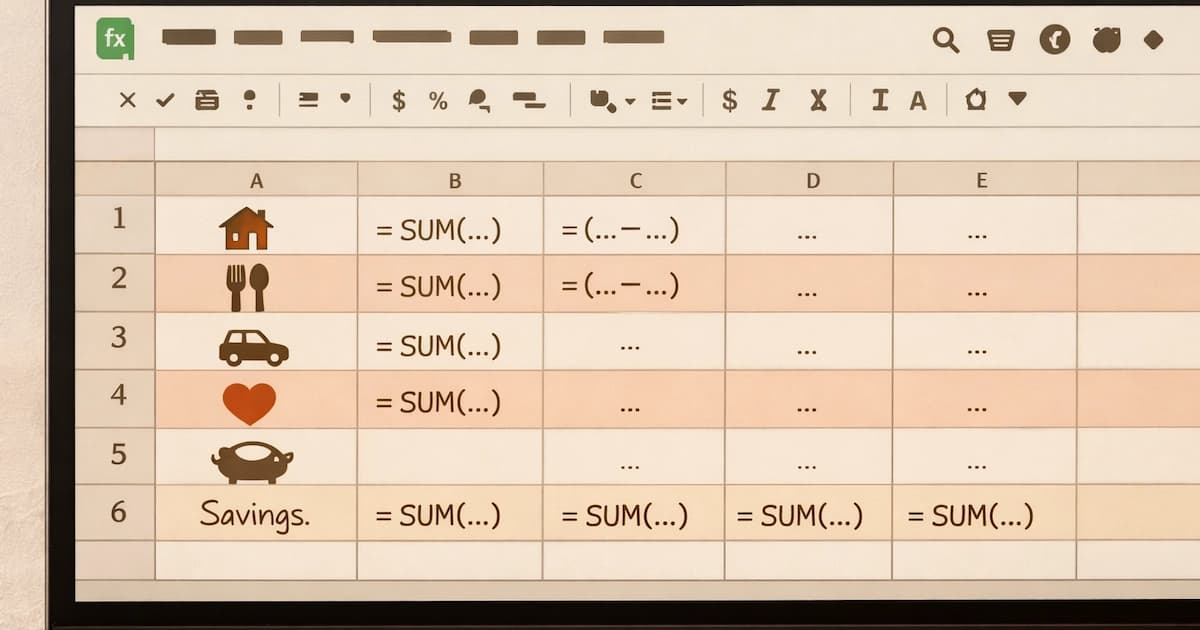
Google Sheets or Excel let you use formulas to auto-calculate totals and the bottom-line difference. Build instructions are in budget in Google Sheets.
Apps like YNAB, EveryDollar, Goodbudget, and Monarch all support this category structure. Most allow you to import a template at the start.
Free downloadable templates exist too. The Consumer Financial Protection Bureau offers a free downloadable spending tracker. Vertex42 and Microsoft Office both offer free spreadsheet templates with similar structure.
Common mistakes when using a template
Four patterns trip people up regularly when they use a template for the first time.
The first is copying a generic template without adjusting categories. A template designed for a U.S. suburban household won't fit a city renter or a rural homeowner. Use the structure; rewrite the specific categories for your situation.
The second is using last month's amounts forever. The template's purpose is to be filled in fresh each month. Categories that mattered in January may not matter in July. Re-evaluate at month-end.
The third is skipping the "Spent" and "Remaining" columns. Without those columns, you have a budget but not a tracking tool. The template only works if you update Spent during the month and watch Remaining trend toward zero.
The fourth is too many categories on the first month. Twenty-five lines is administrative work. Start with twelve to fifteen; add more in month three if you find specific gaps.
What experts say
NerdWallet's budget template guide covers downloadable template options with comparisons. Investopedia's budget template overview provides another sample structure.
The Consumer Financial Protection Bureau's spending tracker is one of the most respected free templates because it's published by a U.S. federal agency with no commercial product to sell.
For step-by-step setup of the same template in spreadsheet form with formulas, see how to make a budget in Google Sheets. For the broader process of choosing categories and assigning amounts, see how to make a budget for the first time.
Frequently asked questions
What categories should a monthly budget template include? A useful starter template has 12-15 categories grouped into four sections: fixed essentials (rent, utilities, insurance), variable essentials (groceries, transport, healthcare), savings (emergency fund, retirement, sinking funds), and discretionary (eating out, subscriptions, personal spending). A small buffer line for unexpected items completes the template.
Should the template be designed for monthly or paycheck cycles? Monthly is simpler conceptually and matches most bills. Paycheck-cycle (biweekly) templates work better for households living close to the line because they prevent the money assigned to the second half of the month being spent in the first half. Many templates support either by adjusting the date columns at the top.
What's the difference between a budget template and a budgeting app? A template is a reusable layout, typically a spreadsheet or printable form, that you fill in manually each month. An app does the same thing but adds automation: bank syncing, transaction categorisation, mobile access. Templates are free and private; apps reduce manual work but cost money or require sharing bank data.
Where can I download a free monthly budget template? The Consumer Financial Protection Bureau publishes a free spending tracker. Vertex42, Tiller Money, and Microsoft Office templates all offer free downloadable spreadsheet templates. Or you can build one in Google Sheets in 30 minutes following the structure described in this article. That's often the most flexible long-term option.
In summary
A monthly budget template is a reusable four-section layout, fixed essentials, variable essentials, savings and goals, discretionary, with a buffer line and bottom-line totals. The structure is consistent across most published templates because the underlying budget categories don't vary much by household. Adapting the template to your situation is mostly about which specific lines to include in each section, not about restructuring the sections themselves.
The template's job isn't to look impressive. It's to make filling in a budget take ten minutes instead of an hour, every month, for years. The simpler version that gets used beats the elaborate version that gets abandoned, every time.
A template fills faster once you've decided on an approach, so it helps to explore the different ways to budget first.
Sources
- NerdWallet, Free Budget Spreadsheets and Templates: nerdwallet.com/article/finance/free-budget-spreadsheets-templates
- Investopedia, Personal Budget Template: investopedia.com/personal-budget-template-7503961
- Consumer Financial Protection Bureau, Budgeting: consumerfinance.gov/consumer-tools
- Consumer Financial Protection Bureau, Consumer Tools: consumerfinance.gov/consumer-tools



You might also like
Build a budget in Google Sheets step by step: the exact columns, the SUM and SUMIF formulas, conditional formatting, and a free template to copy, in ₹ or $.
12 min read

Making a first budget step by step: the information to gather, choosing categories, picking a method, and the routine that turns setup into habit.
10 min read

Give every rupee a job until income minus spending is zero. The five steps, a worked example in rupees and dollars, and where it breaks down.
14 min read